

December 2012 – Volume 16, Number 3
| Title | Google+ |
| URL | https://plus.google.com/ |
| Type of product | Social Networking Service |
| Registration | Required |
| Price | Free |
| Owner | Google Inc. |
| Terms of Service | http://www.google.com/intl/en/policies/terms/ |
| Help Center | http://www.google.com/intl/en/policies/terms/ |
Introduction
Social networking services represent a subset of online computer-mediated communication services; in particular, social networking services are the subset that allows users to share content within social groups they structure online. To investigate the pedagogical value of social networking services in English language learning, a range of research projects have been conducted. Research on Facebook, a social networking site with over one billion active users, has indicated that social networking sites can be effective in improving the writing skills of English language learners (Yunus & Salehi, 2012) and engaging students in meaningful language learning (Kabilan, Ahmad, & Abidin, 2010). Davis (2009) highlights a range of pedagogically sound applications of Facebook for English language educators. Research on Twitter, a social networking service that allows users to share short 140 character messages, indicates that social networking sites can have a positive impact on English language learners’ communicative competence (Borau, Ullrich, Feng, & Shen, 2009). Newgarden (2009) offers a wide range of activities for incorporating Twitter in education and language learning contexts. In this article, I will provide an overview of Google+ and highlight ways in which this social networking service can benefit English language learners.
An Overview of Google+
Google+ is a social networking service that was launched by Google Inc in June 2011 and has quickly risen to a registered base of over 400 million users as of September 2012 (“Google+,” 2012). Though similar to Facebook in many ways, Google+ offers certain features that could influence long time Facebook users and new social networking service users to choose Google+ as their primary social networking service.
Signing up for a Google+ Account
Users with an active Google Account can join Google+ by signing in with their email address and password. Users without a Google Account will need to sign up for an account prior to using Google+ (see Figure 1).
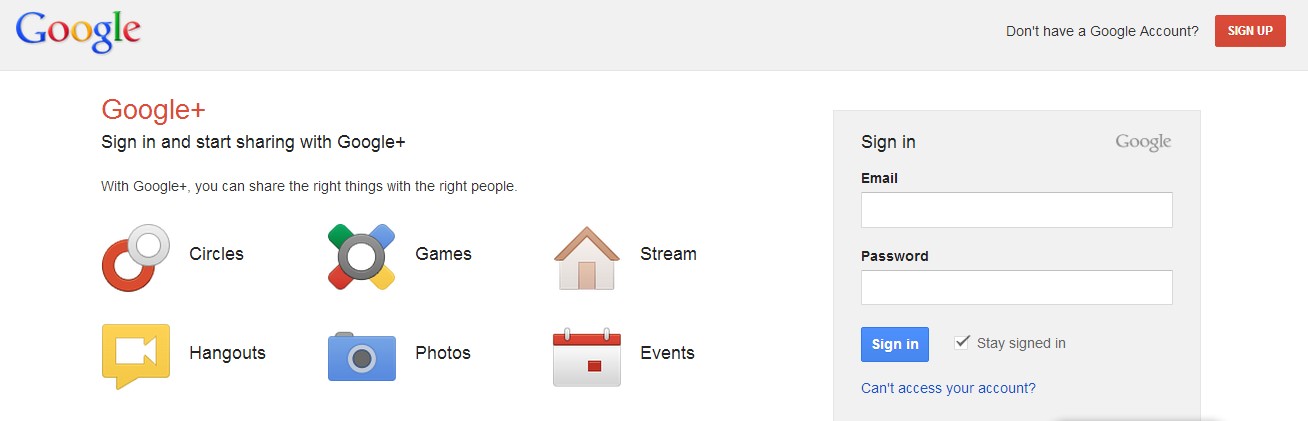
Figure 1. Sign up and Sign in
To create a new Google Account, users will need to provide a first name, family name, unique username, password, birthday, and gender. Although the user’s mobile phone number and current email address are requested, this information is not required for registering a new account. However, providing this information is recommended because it allows users to more easily retrieve forgotten passwords. After successfully registering, users are given a chance to add a profile photo. Users are then greeted and automatically provided with a new Gmail email address. On the next page, users are given the opportunity to select from a range of optional groups, such as music, sports, and fashion, to follow. After clicking “continue,” users are given a chance to complete a brief profile and upload a profile photo.
The Stream
Once signed in, users are initially greeted by their Stream – an area where users can share content such as text, photos, videos, and links (see Figure 2). Instructors can post homework reminders, links to help students prepare for an upcoming class, and photos or text to serve as prompts for writing tasks. When posting, users select with whom they will share their posts. Instructors can limit their posts to include several classes, a single class, or even limit the post to a single student. Likewise, students can limit access to their posts to single students, groups, or an entire class. The Stream can be filtered to limit or remove posts that are recommended by Google by clicking on the “Explore” icon and adjusting the slider bar. Streams can also be filtered to only show posts from a chosen circle. This is a useful feature for instructors that need to keep several courses organized. Once a post is shared, users have the option to edit or delete their post, disable comments, or lock the post to prevent it from being shared with others. Students are therefore able to self-edit their writing and remain in control of what they share. Comments added to a post can also be deleted or edited at a later time. In addition to replying to an initial post, users can comment on a comment by clicking on the “Reply” link that appears beside the name of a user that has already commented on a post. This feature allows multiple threads of discussion to develop from a single post.
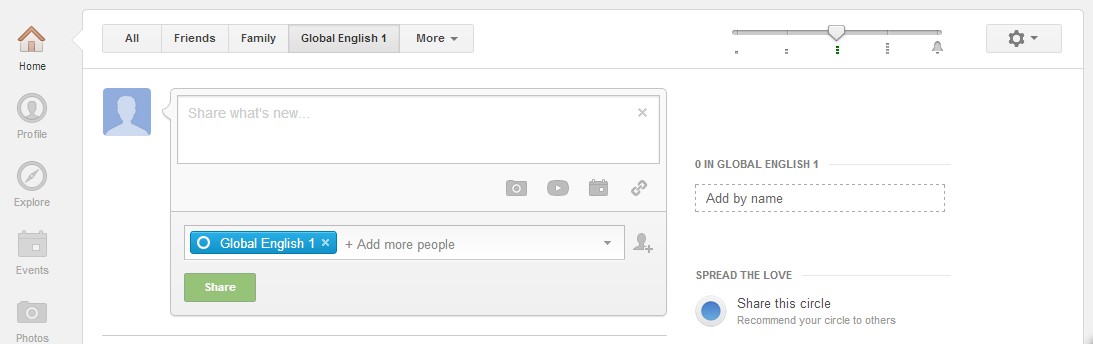
Figure 2. Post text, photos, videos, and links to share
Circles
Users can click on the “Circles” icon to manage the groups with whom they share posts. Circles allow a user to organize people into groups so that those who can view the user’s posts can be limited to one or more groups or Circles (see Figure 3). Users can also filter their Stream by Circles to limit the amount and type of content that is displayed. New Circles can be easily created, deleted, or shared. People can be added to any circle by searching for them by their email address, a school name, a company name, or the user’s Gmail, Yahoo, or Hotmail contact lists. Instructors can create a unique circle for each course and likewise, students can separate their classmates from their friends and family.
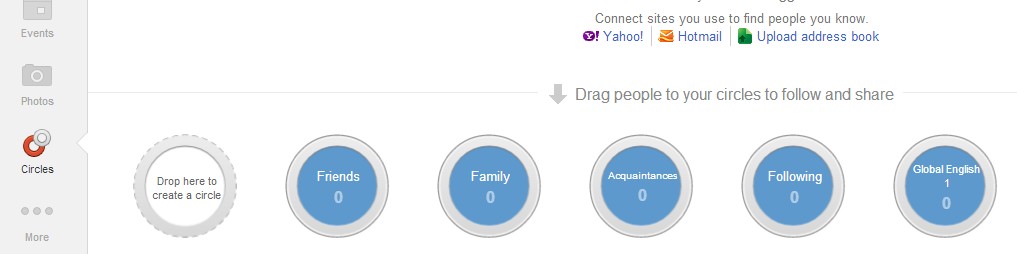
Figure 3. Stay organized with Circles
Hangouts
Users can click on the “Hangouts” icon to start a Hangout or to view Hangouts that others are broadcasting (see Figure 4). Hangouts are video chat rooms where users can invite up to nine other users to join. Users can also select whether or not to create a live broadcast of the Hangout for the public to watch. If broadcasted, the video can then be uploaded to YouTube. In addition to video chatting, users can chat via text, share their screens, watch YouTube videos together, or collaborate on a Google Drive file. Additional apps, which include such features as a collaborative whiteboard, can be easily added. Students can use these features to collaborate on group projects and to participate in small group discussions with and without an instructor’s participation.
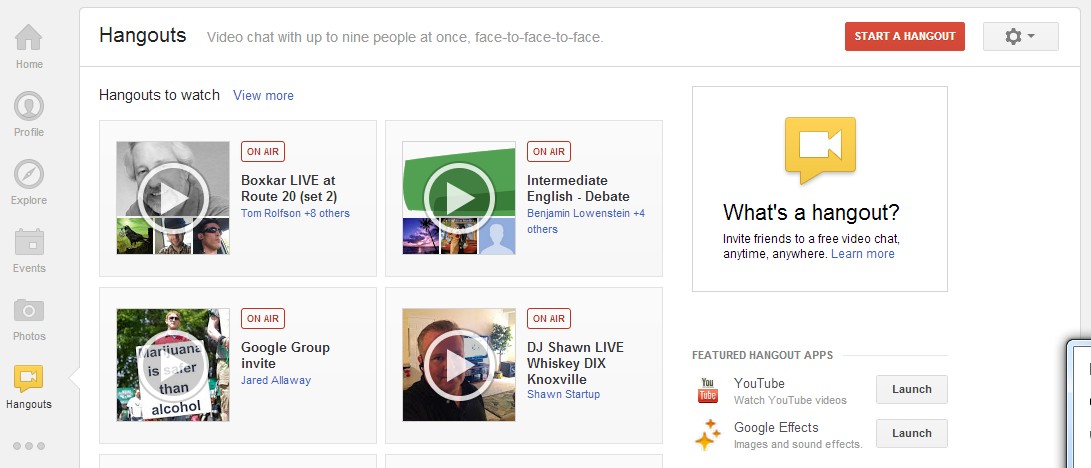
Figure 4. Create a Hangout to video chat, broadcast a live stream, or watch one.
Profile
Users can click on the “Profile” icon to view their posts, photos, videos, profile, and +1’s (see Figure 5). Users can click on “Edit Profile” to add and edit such information as an introduction, educational history, employment history, and bragging rights which appear under the “About” tab of their profile. By clicking on the “+1’s” tab, users can view content that they have found on various websites (that contain a +1 button) and chosen to recommend. Students can easily work together to generate a list of recommended online language learning resources while maintaining their own list of personal favorites. Instructors can view student profiles to refresh their memory of students from previous courses, to assess the quality and quantity of each student’s posts, and to add personal notes. Users can add personal notes about other users by clicking on a link that appears under the “About” tab of each user’s profile.

Figure 5. Create a personalized profile.
The +1 Button
+1 buttons appear throughout the Internet and allow users to mark and recommend content. When a user clicks on the “+1” button, the user is given a chance to add a comment and select with which Circles the recommendation will be shared (see Figure 6). Instructors can incorporate the content their students have recommended to better meet the interests of their students in future lessons.

Figure 6. Recommend content from around the Internet.
Other Features
Users can click on the “Local” icon to create, read, and share reviews for local locations (see Figure 7).
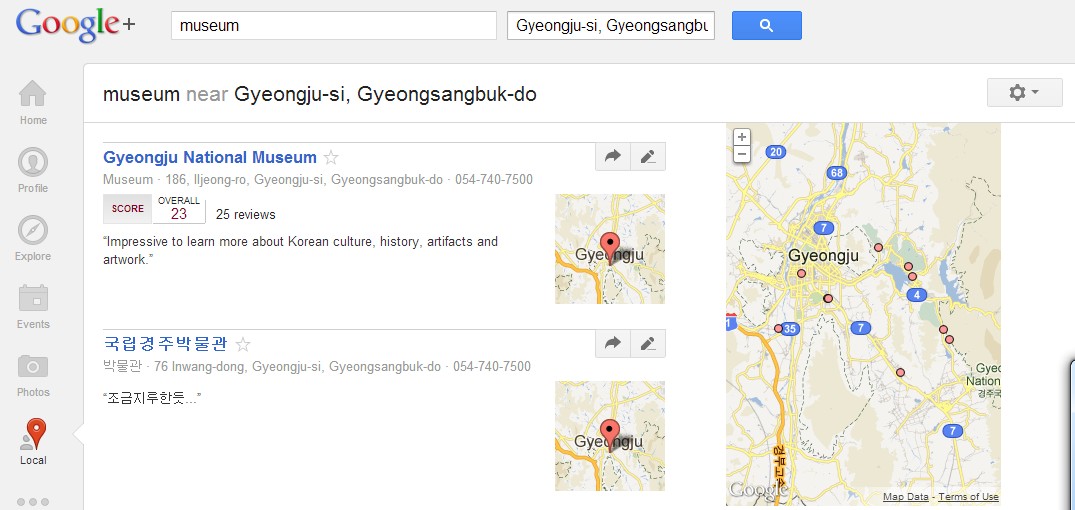
Figure 7. Recommend and map locations around town.
Users can click on the “Games” icon to play games solo or with members of their Circles, share a list of games they have played, or view a list of games other users have played. Users can click on the “Events” icon to create, view, and respond to user-created events, which are integrated with Google Calendar. Photos can also be shared in a single photo collection for the event. Users can click on the “Photo” icon to upload photos from their phones or computers, share photos, view their uploaded photos, and organize their photos into albums. Students who are uploading photos from a phone should be made aware of the importance of creating a new album for those photos. If the photos are not placed into a new album, deleting the photos from the phone will delete the uploaded photos and corresponding posts. Users can also sign into chat to communicate one-on-one with members of their Circles via text, voice, or video (see Figure 8). This is a great way to extend pair-work activities.
Figure 8. Chat via text, video, or voice.
Google+ as a CALL Resource for English Language Learners
Google+ is a feature rich social networking service that provides students with the opportunity to interact with their teachers and classmates outside of class through both asynchronous and synchronous communications. In terms of synchronous communication, the Hangout feature can be used by groups of up to ten students to communicate via text, voice, and video in order to complete such tasks as group discussions, debates, and surveys. Videos of the Hangout sessions can be uploaded to YouTube and viewed by classmates to extend the activities or by teachers for feedback and evaluation. In terms of asynchronous communication, students can share online content they find interesting and useful (such as links to websites and videos) as well as their own personal photos and writings. Once shared, other users are then able to extend a thread or multiple threads of asynchronous communication through the comments they post.
Along with connecting current classmates, Google+ is capable of providing students with access to communities of language learners and educators that exist outside the traditional classroom. These virtual communities are environments that will persist long after an individual class or even an entire course finishes. Instructors can remain in contact with graduating students, students can remain in contact with their classmates, and classmates can be welcomed as new members in an expanding circle of class alumni.
Conclusion
Google+, a relatively new social networking service, has the potential to be a powerful CALL resource and is well worth the investment of time that is necessary to integrate it in a language learning classroom. In addition to promoting lifelong language learning, Google+ offers language learners the opportunity to focus on topics of their own interests, engage in meaningful learning, take initiative, and increase their autonomy.
However, the introduction of Google+ in the language classroom can be overwhelming at first. One of the most challenging hurdles is the initial creation of Circles. Though it might be necessary to devote several classes to ease every student into the social network, once enrolled, the benefits can quickly offset the initial investment of time. Due to the range of features offered, Google+ can be integrated into lessons to meet the levels, needs, and interests of any class.
References
Borau, K., Ullrich, C., Feng, J., & Shen, R. (2009). Microblogging for language learning: Using twitter to train communicative and cultural competence. Advances in Web Based Learning–ICWL 2009, 78-87. Retrieved November 7, 2012, from http://www.carstenullrich.net/pubs/Borau09Microblogging.pdf
Davis, R. (2009). Facebook. TESL-EJ, 13(3), 1-10. Retrieved from http://www.tesl-ej.org/wordpress/issues/volume13/ej51/ej51m1/
Google+. (n.d.). In Wikipedia. Retrieved from http://en.wikipedia.org/wiki/Google%2B
Kabilan, M. K., Ahmad, N., & Abidin, M. J. Z. (2010). Facebook: An online environment for
learning of English in institutions of higher education? The Internet and Higher Education, 13(4), 179-187. doi: 10.1016/j.iheduc.2010.07.003. Retrieved from http://pinarmanici.files.wordpress.com/2011/04/facebook1.pdf
Newgarden, K. (2009). Twitter. TESL-EJ, 13(2), 1-13. Retrieved from http://www.tesl-ej.org/wordpress/issues/volume13/ej50/ej50m2/
Yunus, M. M. & Salehi, H. (2012). The effectiveness of Facebook groups on teaching
and improving writing: Students’ perceptions. International Journal of Education and Information Technologies, 6(1), 87-96. Retrieved from http://www.naun.org/multimedia/NAUN/educationinformation/17-538.pdf
About the Reviewer
Brian E. Hutchinson is an Assistant Professor at Gyeongju University in Gyeongju, South Korea. He holds a Master’s degree in TESOL from Azusa Pacific University. His interests include computer assisted language learning, narrative writing, and affective factors in second language acquisition.
<behutchinson10 apu.edu>
| © Copyright rests with authors. Please cite TESL-EJ appropriately. |