

August 2018 – Volume 22, Number 2
| Title | WordSift |
| Creators | Kenji Hakuta & Simon Wiles |
| Contact Information | hakuta stanford.edu; sjwilesstanford.edu stanford.edu; sjwilesstanford.edu |
| Type of Product | Word cloud generating and vocabulary learning website |
| Hardware Requirements | An Internet-capable computer or device, including Android and iOS tablets and smartphones |
| Software requirements | Google Chrome, Mozilla Firefox, Safari, or Internet Explorer 7.0 |
| Platform | Web-based |
| Registration | Not required |
| Price | Free |
Introduction
Unlike other word cloud generating tools such as Wordle (Feinbert, 2014) and TagCrowd (Steinbock, 2006), WordSift (Hakuta & Wiles, 2001) combines several features appealing to vocabulary learners, including a tag cloud, word sorting, a visual thesaurus, links to Google images and videos, and example sentences, all of which can be done by copying and pasting and a few mouse clicks. This free and interactive vocabulary learning website works with most web browsers and requires minimum computing knowledge and zero plugins.
Many researchers (e.g., Marzano & Pickering, 2005; Yang & Perfetti, 2006) have highlighted the importance of explicit vocabulary instruction based on students’ backgrounds and instructional subject area. According to WordSift.org, this website is especially suitable for intermediate-level English language learners who have difficulty in advancing their proficiency levels due to limited vocabulary knowledge in academic content areas. While it was primarily designed for the needs of English language learners in K-12 settings, it can also meet the needs of vocabulary learners in other settings (e.g., university). WordSift is a versatile tool that can easily fit into any lesson plans featuring explicit vocabulary instruction. It enables students to meaningfully interact with the vocabulary that they encounter in academic texts, especially non-specialized academic and content-specific words.
Description
WordSift’s main feature is the generation of a word cloud based on a user-selected text. A text can be copied and pasted into the box in the homepage, where a click on “Sift” then generates a word cloud showing the 50 most frequently occurring words in the text (function words are automatically excluded). Users can also adjust the number of words appearing in the word cloud in the cloud setting. This main feature using the default settings is illustrated in Figure 1.
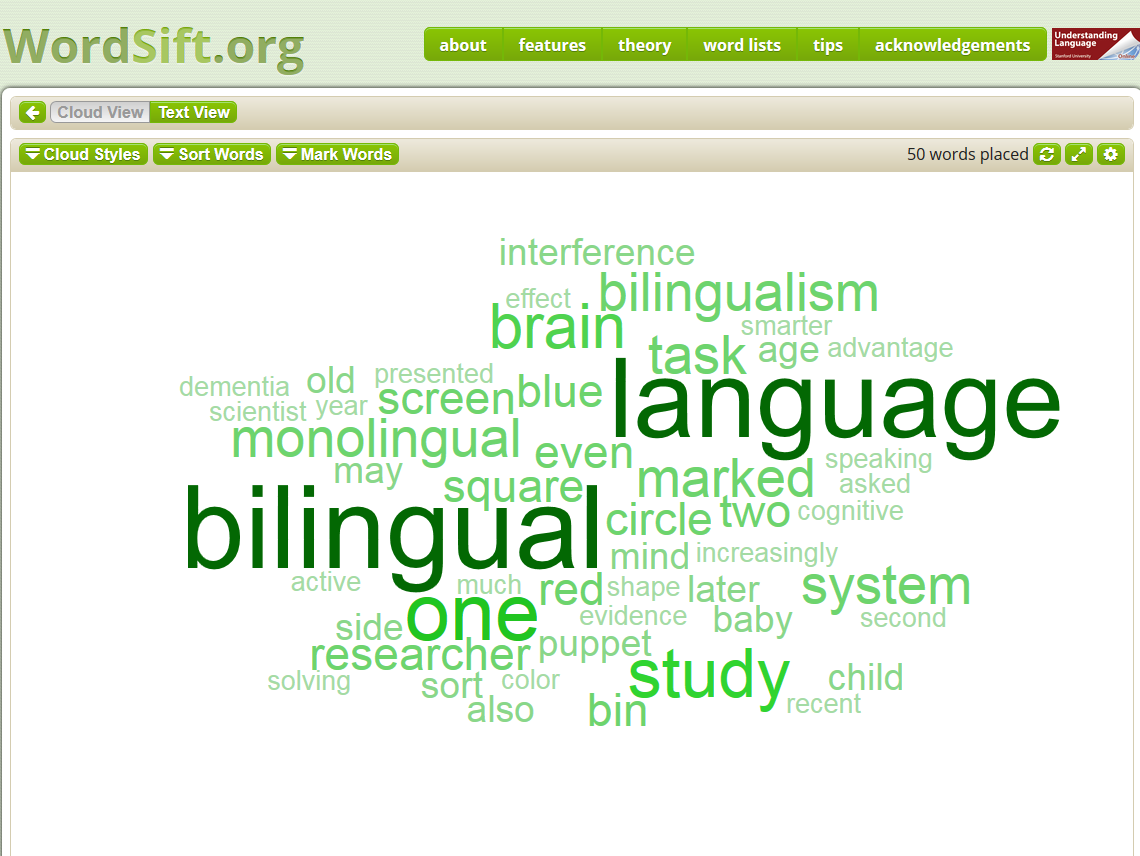
Figure 1. A sample word cloud [1] generated in WordSift.
There are three features associated with the word cloud: Cloud Styles, Sort Words, and Mark Words. Clicking on “Cloud Styles” provides different design options. The “Sort Words” function sorts the word cloud alphabetically (A to Z or Z to A), from the most common to least common words, or vice versa (see Figure 2 for an example).
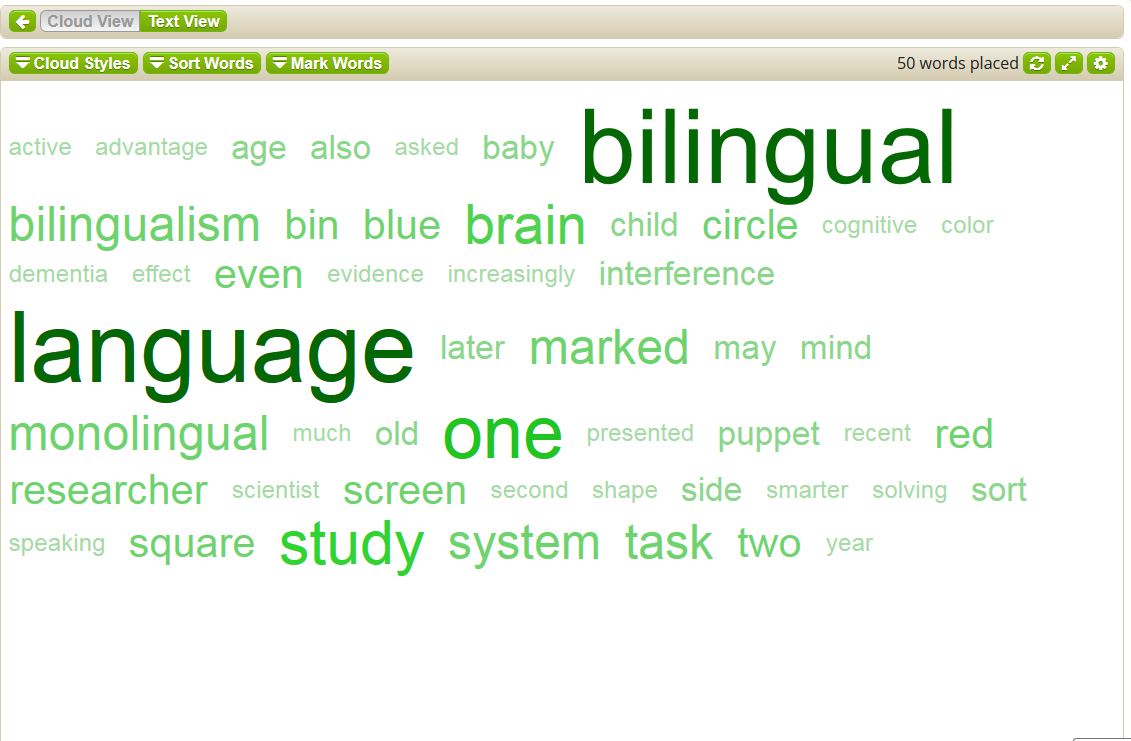
Figure 2. A word cloud sorted alphabetically (A-Z).
The “Mark Words” feature compares the text to different word lists, such as the Academic Word List (Coxhead, 2000), General Service List (West, 1953), the New General Service List (Browne, Culligan & Phillips, 2013), or specialized content word lists developed by Marzano and Pickering (2005) for K-12 settings, including Language Arts, Science, Math, and Social Studies. Figure 3 illustrates a word cloud with eight words marked in blue from Marzano and Pickering’s (2005) Science word list.
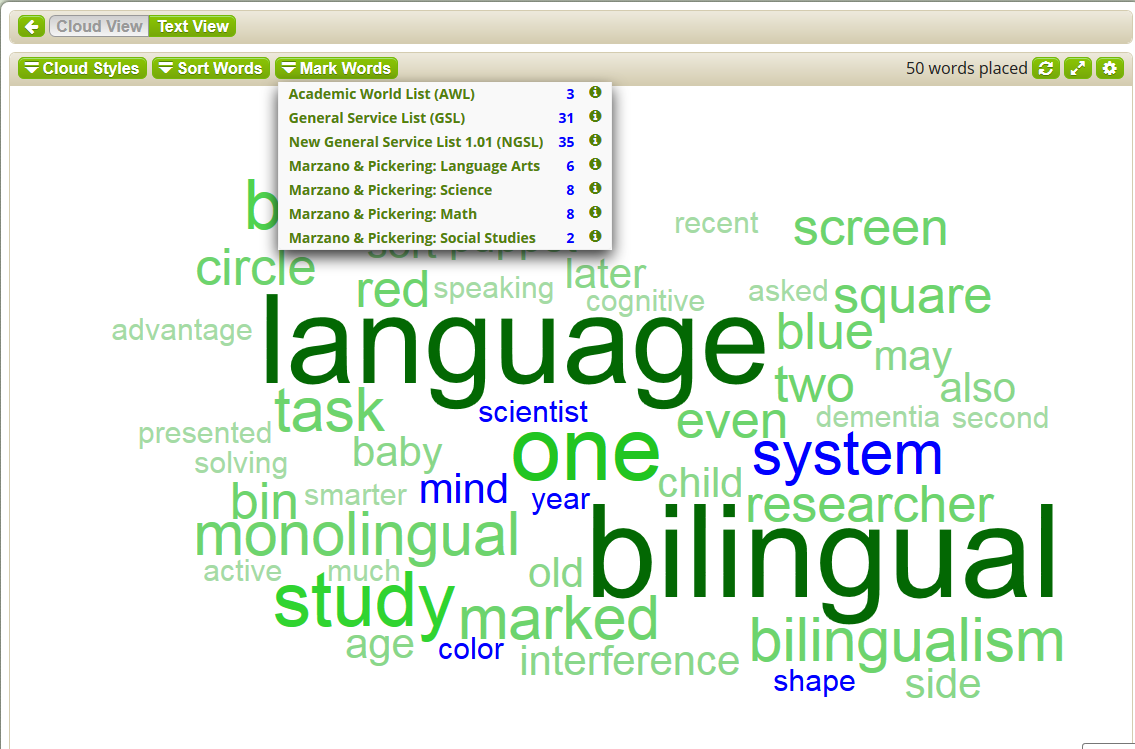
Figure 3. A word cloud with words marked from Marzano & Pickering’s (2005) Science word list.
Another feature of WordSift is the visual thesaurus. An embedded WordNet Visualization widget shows each selected keyword from the word cloud and its associated words (i.e., words in the same family and words with related meanings), as well as their definitions. For example, a click on the keyword “bilingual” in the word cloud leads to the visual display in Figure 4. Words in the same family are connected by a solid line (i.e., bilingualist), while words with related meanings are connected by dotted lines (i.e., multilingual, linguist and polyglot). Words with different word forms are marked in different colors; for example, nouns are marked in red and adjectives are in yellow.
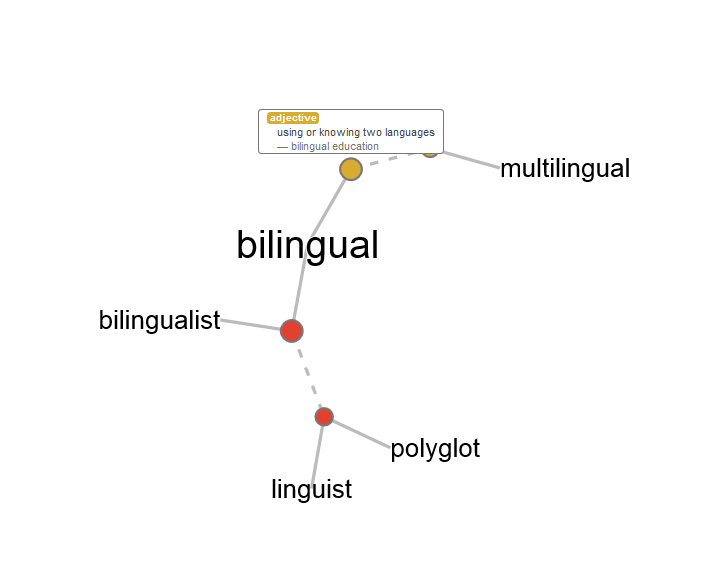
Figure 4. A sample visual display generated using the WordNet Visualization Widget
WordSift also links the selected keyword and keyword combinations to Google image and video search functions. Figures 5 and 6 show screenshots from when both “bilingual” and “bilingualism” are selected and the Google “Images” or “Videos” buttons are clicked.

Figure 5. Linked Google images function via WordSift.org.
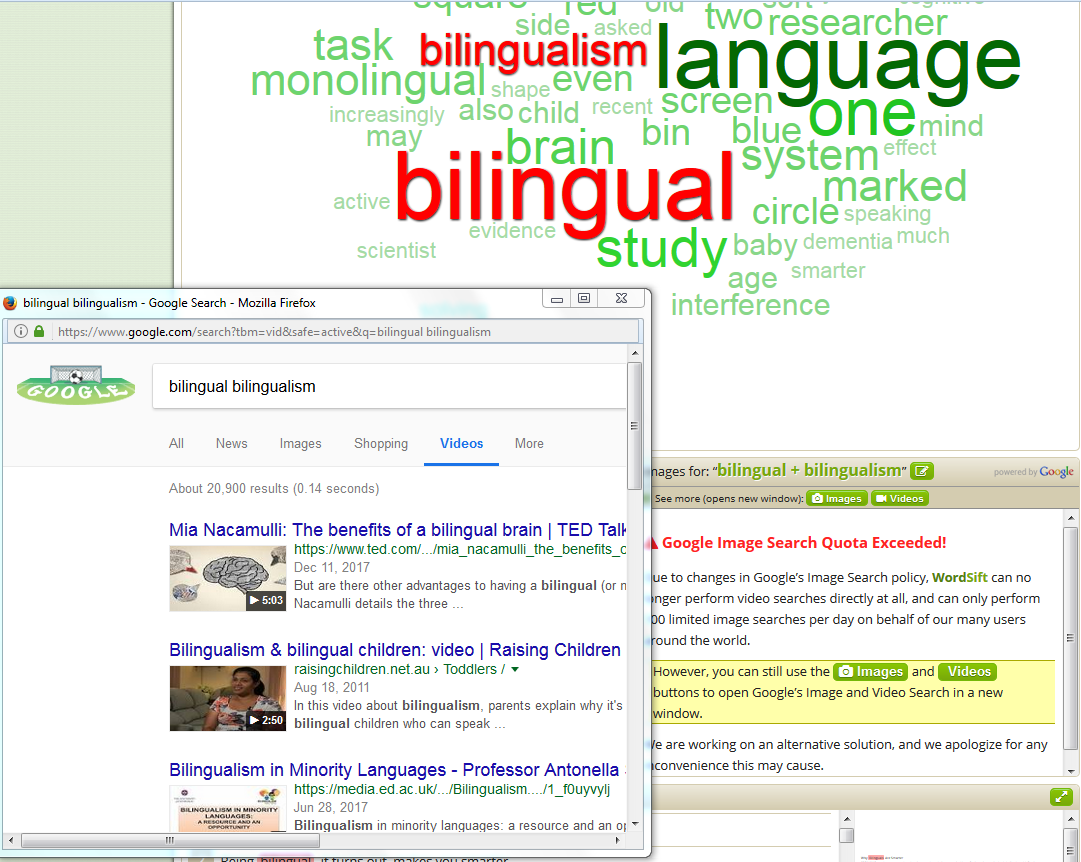
Figure 6. Linked Google videos function via WordSift.org.
Finally, WordSift presents example sentences from the original text which contain a selected keyword. These examples are presented in two modes, as shown in Figure 7. Individual sentences containing the keyword “bilingual” from the original text are listed in the left column, while the whole text with the same keyword highlighted is shown in the right column.

Figure 7. A sample keyword in context shown in WordSift.
Evaluation
WordSift is a user-friendly web tool with multiple advantages for both classroom practitioners and student users. First, it is free and does not require software installation, such as Java updates. Minimum computer skills are required to operate WordSift, including knowledge of how to copy and paste a text, download a word cloud, and take and save a screenshot of a WordNet visual display map. WordSift is also mobile-friendly and works well on both Android and Apple devices.
Secondly, researchers have proposed different vocabulary learning strategies to support various learning styles (Oxford & Crookall, 1990). WordSift works with these diverse learning styles. For example, visual learners might enjoy interacting with both the word clouds and visual thesaurus, as well as seeing the keywords used in contexts, while aural learners can watch the videos associated with the keywords in the word cloud. Kinesthetic learners will have plenty of hands-on experience generating the word clouds, changing the cloud styles, sorting the words, marking the words using different word lists, and manipulating the WordNet visuals.
Thirdly, the technique of word grouping identifies words with the same attribute and has been shown to be beneficial for vocabulary acquisition (Oxford & Crookall, 1990). In WordSift, both the “Sort Words” and “Mark Words” functions are useful word grouping techniques for students to learn vocabulary in an organized way.
Fourthly, semantic mapping, the central technique used in the WordNet Visualization, displays the word groups graphically in terms of their relationships, which has been found to be one of the most useful vocabulary learning techniques for second language learners (Oxford & Scarcella, 1994).
Finally, researchers have demonstrated that repeated exposure to the same set of words and the opportunity to manipulate words in different contexts improve vocabulary acquisition (Beck, McKeown & Kucan, 2002; Nation, 2001). The Google images, videos, visual thesaurus, and example sentences in WordSift provide a rich and diversified context for students to learn vocabulary through multiple exposures and different activities.
Despite these advantages, users should also be aware of a few disadvantages of WordSift. First, to generate the word cloud, no less than 300 words and no more than 10,000 words can be pasted in the text box; therefore, WordSift does not work with texts that are either too short or too long. Also, due to copyright restrictions, the images and videos from Google cannot directly show in WordSift and only appear in pop-up windows. Finally, the example sentences with the keyword in context are only available from the input text. Learners who are looking for additional examples of a chosen keyword or associated words will need to refer to other resources such as a dictionary or a language corpus.
Pedagogical Implications
Despite its advantages, WordSift has pedagogical value as it can be used by both instructors in lesson preparations and students in self-learning or reinforcement of vocabulary items encountered in course-related or outside readings. While this tool has a variety of possible uses both in and out of the classroom, Cheng and Smith (2017) have proposed several ways that WordSift can be used. The first is in lesson preparation, where a teacher can “sift” a text before class and use the “Mark Words” function to identify keywords that need to be addressed during class instruction. Additionally, instructors and students can create word clouds as a way to preview or review content and key vocabulary in a reading text. WordSift can also be used independently by learners to support their extensive reading.
Conclusion
WordSift is a valuable tool that works on all types of computers and devices with internet connection. It accommodates different learning styles and facilitates vocabulary acquisition through word grouping techniques and repeated exposure to the same set of words. With the variety of user-friendly features included in WordSift, this website is a highly-recommended vocabulary-learning resource for both teachers and students of English as a second or foreign language.
References
Beck, I., McKeown, M., & Kucan, L. (2002). Bringing words to life: Robust vocabulary instruction. New York: Guilford Press.
Browne, C., Culligan, B. & Phillips, J. (2013). The New General Service List. Retrieved from http://www.newgeneralservicelist.org
Cheng, D. & Smith, T. (2017, October). Computer assisted learning with WordSift. Workshop presentation at TexTESOLV Fall Conference, Plano, TX.
Coxhead, A. (2000). A new academic word list. TESOL Quarterly, 34 (2), 213-238.
Feinberg, J. (2014). Wordle. Available online at http://www.wordle.net/
Hakuta, K. & Wiles, S. (2001). WordSift. Available online at https://wordsift.org/
Marzano, R. & Pickering, D. (2005). Building academic vocabulary: teacher’s manual. Arlington, VA: Association for Supervision and Curriculum Development.
Nation, I. S. P. (2001). Learning vocabulary in another language. New York: Cambridge University Press.
Oxford, R. & Crookall, D. (1990). Vocabulary learning: A critical analysis of techniques. TESL Canada Journal, 7 (2), 9-30.
Oxford, R. & Scarcella, R. (1994). Second language vocabulary learning among adults: State of the art in vocabulary instruction. System, 22 (2), 231-243.
Steinbock, D. (2006). TagCrowd. Available online at https://tagcrowd.com/
West, M. (1953). A general service list of English words. London: Longman, Green and Co.
About the Author
Dr. Dongmei Cheng <dongmei.cheng tamuc.edu> is an assistant professor at Texas A&M University-Commerce who teaches TESOL and Applied Linguistics. Her research interests include sociolinguistics, second language writing, and computer-assisted language learning. She has presented regularly in international and national conferences such as TESOL and AAAL and published her research in a book and multiple peer-reviewed journals.
Note: The following is the reference of the text used in generating the word cloud:
Bhattacharjee, Y. (2012, March 17). Why bilinguals are smarter. The New York Times. Retrieved from https://www.nytimes.com/2012/03/18/opinion/sunday/the-benefits-of-bilingualism.html
[back to Figure 1]
| © Copyright rests with authors. Please cite TESL-EJ appropriately.Editor’s Note: The HTML version contains no page numbers. Please use the PDF version of this article for citations. |