

Vol. 8. No. 1 — June 2004
Tell Me More software program
| Title | Tell Me More |  |
| Author | Auralog, Inc. | |
| Contact Information | (US) 2720 S. Hardy Drive, Suite 3 Tempe, AZ 85282 1-888-388-3535×10 Fax 480-829-9649 Tech support: 888-388-3535×11 email: info@us.auralog.com http://www.auralog.com |
|
| Product Type | Language Learning Software | |
| Platform | Windows | |
| Minimum System Requirements:   | PC or compatible Celeron® 333 MHz or equivalent Windows® 95*, 98, NT4*, Millenium, 2000 or XP 64 MB RAM 70 MB available on hard disk |
|
| Recommended configuration:   | PC compatible Pentium® III 650 MHz or equivalent
Windows® 95*, 98, NT4*, Millenium, 2000 or XP |
|
| Price | Tell Me More v6 Beginner, Intermediate, & Advanced levels combined: $195 USD | |
Program Objectives
The objective of Tell Me More is to provide language learners with a wide range of tools to address speaking, listening, vocabulary, grammar, sentence-level writing, and cultural awareness. The program is offered for American English (ESL), Spanish, French, Italian, German, Dutch, Chinese, Japanese, and Arabic. The creators of Tell Me More claim to have 2,000 hours of learning for each language that they offer. This software certainly provides an enormous range of activities for learners who want to incorporate a computer in their language learning. Auralog has stated its intent to have a teacher component as well, due out sometime in 2004, but not available at the time of this review. In addition, the version tested did not allow access to the online Personal Tutor or Language Tests; thus, these components are not included in this review.
Program Description
The program evaluated was the intermediate-level of the American English (ESL) software. The program is divided and presented in several different formats. The first way is by “content topic”. These topics are:
|
|
It is also divided by “workshops”:
|
These workshops are divided into additional numerous “activities” that focus on different skills areas. They also include a glossary and grammar explanations. Activity types included are:
|
|
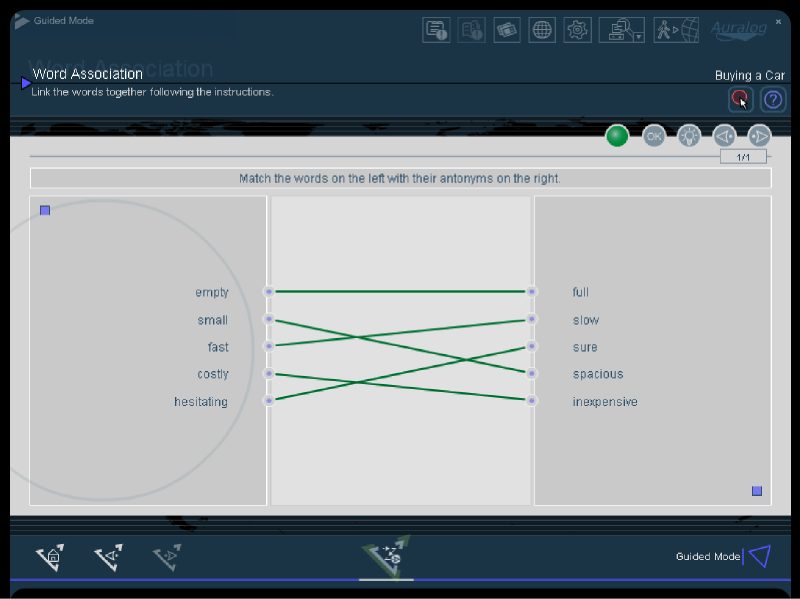
Figure 1 – Word Association activity.
Program Evaluation
The program comes with an adequate headset/microphone, an installation CD, and the materials CD. The program is easy to install on a machine running Windows XP. As with most contemporary software, written support materials are extremely limited, but there is help available from within the program. Trying to go beyond the “help” provided with the CD is not easily done, and the website dedicated to the software is difficult to navigate, contains many broken links, and provides incomplete information.
As part of the process of evaluating the program, four students worked with it as well. The review copy of the software was limited to one machine, so student time was also limited to several hours exploring the software. The students were given only minimal instruction beyond that included with the software, and they were encouraged to “think aloud” as they went through various activities. Ages ranged from 14 to 49 years old, and the educational range was from middle school to one student with a master’s degree in her first language. All the students had the option of using their first language for instructions (all were from language backgrounds that were available in Tell Me More). English proficiency levels ranged from upper beginner to upper intermediate. Comments from the students are listed later in this article under “Student Feedback”.
Program Content
There are three modes available for navigating through the materials in this software: Free-to-Roam, Guided, and Dynamic. Free-to-Roam lets the user choose which activities to do, and in what order. This mode can be a bit overwhelming for users who do not have a precise idea which areas they need to work on. Fortunately, the other modes are designed to lead the user to appropriate follow-up tasks. The Guided mode mimics using a traditional textbook, while the Dynamic mode modifies choices based on user results in earlier activities. Both these modes are helpful for users who don’t have the necessary metalinguistic awareness to make informed decisions about the most effective path to take. The Guided mode might be better for use within a group setting (as in a component of a traditional classroom-based course), while the Dynamic mode seems more suitable for learners working on their own.
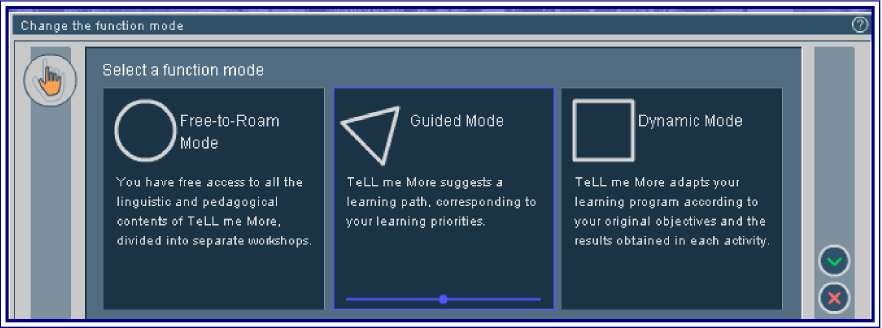
Figure 2 – Modes in Tell Me More.
The most intriguing mode is Dynamic. In this mode the user can choose from various predefined “Objectives”. However, (as mentioned below) there is no feedback when a user answers incorrectly. Instead, users are forced to repeat the same activity again and again. An effective modification would be to provide ‘partial-credit’ feedback, so that the user would know, for example, that his/her sentence is in the correct tense, but contains incorrect vocabulary. From experience I know students find it frustrating to ‘get it wrong’, repeat the exercise, get it wrong again, and so on–repeating this cycle until I can intervene with an explanation.
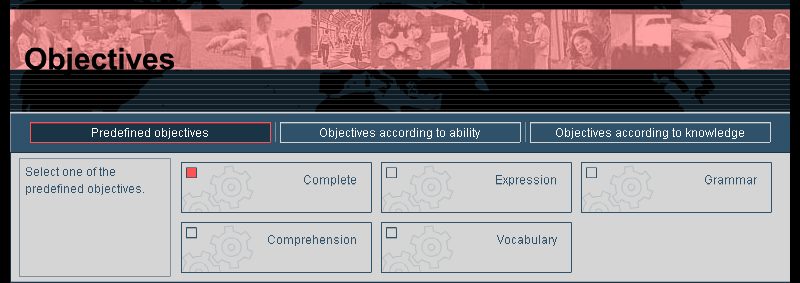
Figure 3 – One view of Objectives in the Dynamic Mode.
Another useful tool is the “Online Guided Help”, which is available from every screen (with an option to turn it off completely as well). This allows the user to verify the instructions, an important step when moving quickly between 20 different activity types. Especially in the Dynamic mode, the user does not know which activity will come next until it appears on the screen.
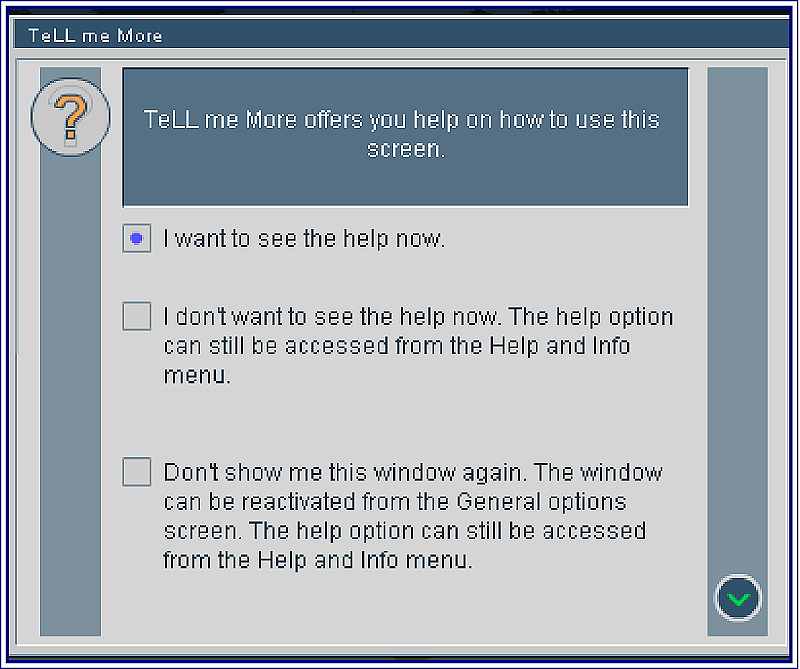
Figure 4 – Onscreen interactive help.
The Program’s Strengths:
Tell Me More has many strengths. One of the best features is its use of grammar explanations that are only one or two mouse clicks away. When working on any of the many different activity types, the user can study the concepts at hand by using this tool.
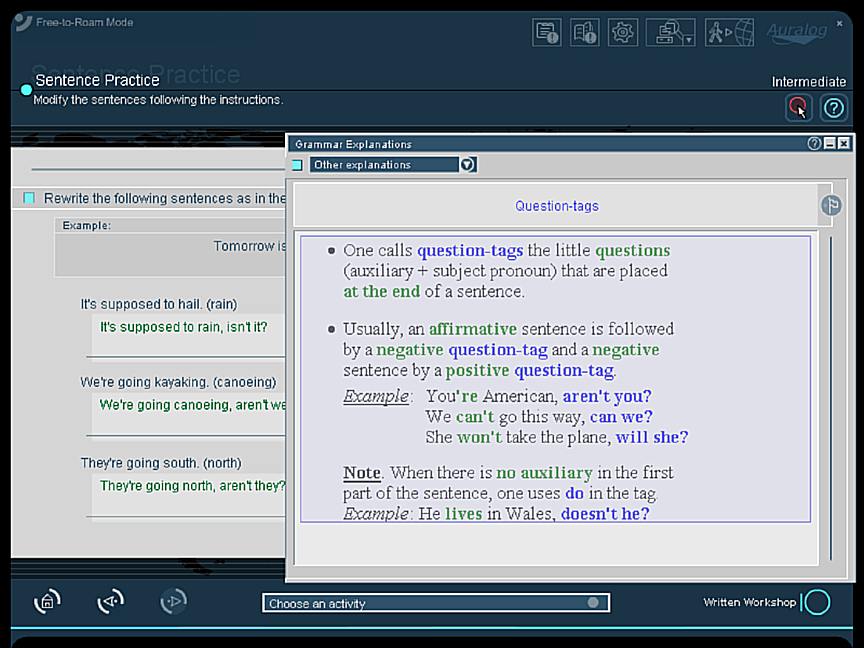
Figure 5 – One-click grammar explanation for question tag endings.
- Smoothness of system operation, especially for the video and sound components, worked very well.
- Variety of activities keeps student interest high.
- Program works well with Windows XP; microphone/headphones work well.
- Instructions can be in any of six languages: Dutch, English, French, German, Spanish, or Italian, and the process to change the language is easy.
- Great deal of repetition of vocabulary words, which enhances acquisition.
- Writing activities: the user can choose either keyboard (typing) or mouse actions. This allows some variety for inputting information, as well as allowing for different learner styles.
- Step-by-step instructions are available for each activity.

Figure 6 – Word Search activity – Students really like this!
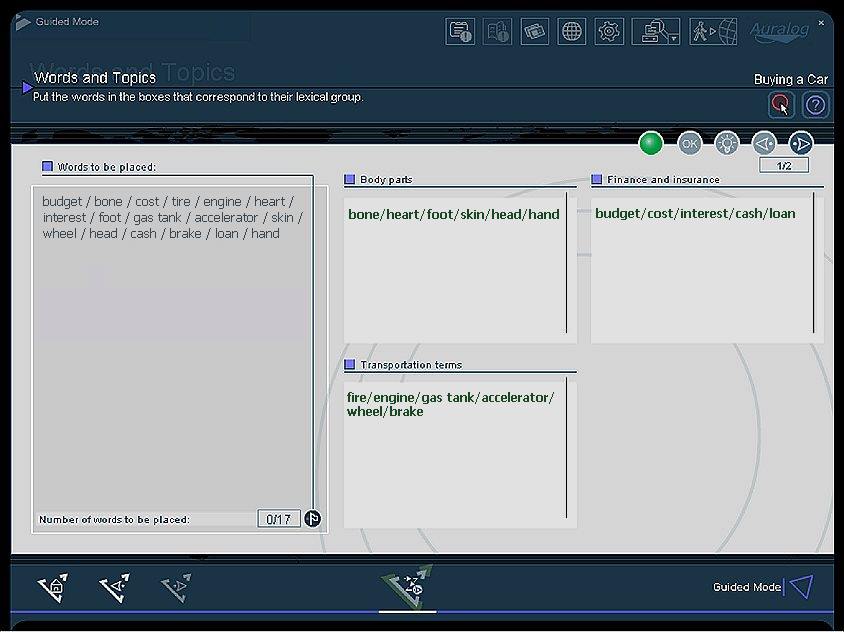
Figure 7 – Another great feature–semantic groups (but it’s not clear how the students have already learned or seen these).
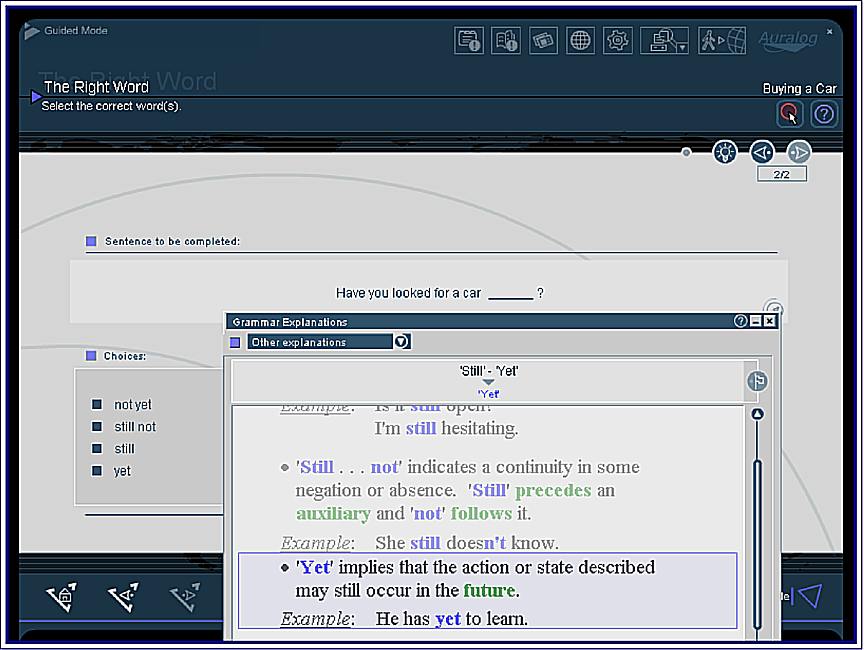
Figure 8 – User-friendly interface: during the grammar exercises you can click on an icon to get the grammar rules.
Weaknesses
- Genuine assessment tools (both pre- and post-activity) are lacking. Especially for users who are working with the materials on their own, there are no assessment tools. For example, in this screen, the user is asked to determine his/her own desired level, from very easy to difficult and specialized. However, the user does not really have any way to make this determination and the software does not offer him a method for doing so. Also, there are no specific language skills identified explicitly that the user can use to evaluate where he is with regard to mastery of these skills.
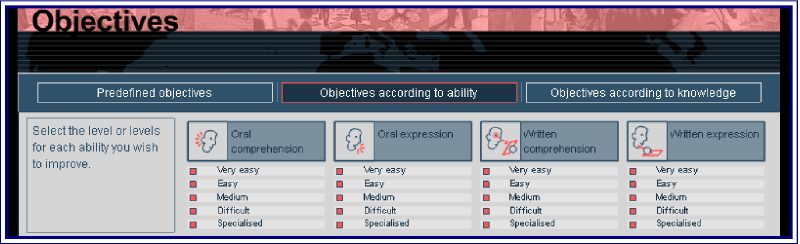
Figure 9 – Objectives listed only as ‘very easy’ etc. - The website supporting this software is painfully inadequate, and is either still in the process of being developed (in which case it should not be accessible until it’s ready), or has been left by the wayside (and should either be removed or updated). As it is, it just wastes the students’ time if they decide to access it. The Forum page did seem to work, and there were many students writing there.
- The option for instruction in the user’s first language is limited to certain European languages.
- Some exercises have little context, and it’s not clear how or why these items and distracters are chosen (for example, Bill Clinton and Ronald Reagan are used in one cultural workshop activity, and a mound village building and the Guggenheim Museum are used in another). Teachers (and students) might wonder what pedagogical purpose is being served here.
- It is not clear why the topics (listed above) and their vocabulary were chosen. Some of the students used to test this software wondered if these areas were really the most important for them at an intermediate level.
- Some of the voices in the listening component are dangerously close to “teacher-ese” (however, most of the voices use appropriate native-speaker intonation and speed).
- There is little explanation or context for some of the activities (e.g., the crossword puzzles offer little context and, more critically, the pronunciation words and sentences offer no context to help cement meaning).
- The pronunciation components do not appear to take into consideration variations across dialects (as in American pronunciation of the first two words of ‘put your hat on’, so that they rhyme with ‘butcher’).
- There are no ‘off-line’ options for users. It would be an enormous help if users could print out a plan or schedule for each unit. A common concern for my test students was their uncertainty of the length of the unit, and how much time needed to be scheduled to complete the work. With a printable outline/schedule, the user could plan out how much time to spend with the program each day or week. Another useful ‘offline’ component would be related readings on the topics presented. Many students would benefit from seeing the vocabulary and structures in a different setting–which would also confirm for the students the value of the selected vocabulary and grammatical structures.
Figure 10 – The pronunciation program cannot make some distinctions (d/p, for example–“pog” scored as high as “dog” in trying to match “dog”).
Student Feedback
- For sentence level pronunciation and dialogs, it is not always clear whether there is a right or a wrong answer. I think I am saying something right, but I ‘think’ the program is telling me it’s wrong.
- How does the user use the sound graphs? Sometimes the same sounds produced different results and sometimes the results could not be replayed (or the wrong version was played instead).
- Some of the repeating of sentences had no closure to them (you just repeated and repeated). Is there a limit to how many times I should try to match the target sentence?
- If I don’t capitalize a letter when I am writing a sentence, then it’s still considered wrong, but I am really trying to work on something else (like tag questions). It would be good if what makes the sentence wrong is stated, so I can fix it. I can’t fix it if I don’t know what’s wrong!
- I really like the dictations, but it’s hard to know exactly where I am making a mistake – is it punctuation, spelling, or grammar?
- The Dynamic mode kept me on my toes! But it got very confusing–I couldn’t always tell if I was doing things right or not, or what exactly I was doing wrong.
- The crossword puzzles were a lot of fun!
Overall, Tell Me More has many innovative and dynamic components, especially its word, phrase, and sentence listening/speaking activities. However, any potential learner of English should be aware that in its current incarnation Tell Me More (Intermediate American English) is best used only as a supplement to an assessment-based and truly interactive language course (such as a classroom course).
About the Reviewer
John Bunting is a lecturer in the Intensive English Program at Georgia State University. He uses computers extensively in his classes, and runs the website for Georgia TESOL and for the GSTEP English Testing Program at Georgia State. In addition, he has taught EFL and legal English writing in Caracas, Venezuela and Tijuana, Mexico. His first book, College Vocabulary 4, for Houghton Mifflin, is due out in January 2005.
John Bunting
Department of Applied Linguistics
Georgia State University
Atlanta, Georgia US
<jbunting@gsu.edu>
|
© Copyright rests with authors. Please cite TESL-EJ appropriately. Editor’s Note: Dashed numbers in square brackets indicate the end of each page for purposes of citation.. |