

Vol. 8. No. 3 — December 2004
| Title | Tense Buster © 2001 Version 5.2.9 |
 |
||
| Contact information |
Clarity Language Consultants Ltd | |||
| Hong Kong Office | London Office | |||
|---|---|---|---|---|
| Tel: | +852 2791 1787 | +44 845 130 5627 | ||
| Fax: | +852 2791 6484 | +44 845 130 5647 | ||
| Email: | info@clarity.com.hk techspt@clarity.com.hk |
melissa.pink@clarity.com.hk | ||
| Web site: | http://www.clarity.com.hk | |||
| Product type | Grammar and vocabulary practice, skills development, and learner training software. Also authoring program. British English. | |||
| Minimum system requirements | Pentium, Win 98/NT/2000/ME/XP, 600×800 full-colour screen, Network compatible. | |||
| Price | From $296.00 for a single user, to $2, 417 for up to 40 users (USD). |
|||
The Program
Tense Buster is a program designed for adult ESL learners at five levels, from Elementary to Advanced, to help them learn some of the most common aspects of English grammar, vocabulary, and to encourage good language learning strategies. Each level has a number of modules and each module is comprised of around ten exercises. The program claims to follow a structured, guided discovery approach to learning, the aim of which is to help students “break through the grammar barrier”. [-1-]
Each level starts with a unit which guides the student around the program by showing them how to complete the different activities. At the end of each unit there is a vocabulary section. The CD-ROM comes with its own authoring program and all of the exercise types can be authored by any teacher with fairly basic word processing skills; no special expertise is required.
Getting started
To get started: put the CD into the computer, click “Start” (located on your taskbar), select “File” then “Run”, and type D:/setup.exe (if “D” is the location of your CD-ROM drive) and the installation program does the rest. You will be prompted to type in your serial number. The network version will probably require some technical help from your IT team.
The different levels, chosen at random by the student or assigned by the teacher, are available through the program menu. When students choose a level, the following screen appears:
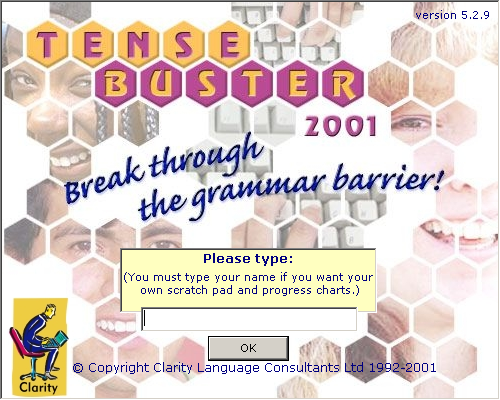
Figure 1: Log-In screen
The students are encouraged to type their names here so that they can have access to their own Scratch Pad and Progress Records. If more than one student has the same first name, students should type their full name.
The Units
Each unit follows the same pattern, and is designed to lead the learner to a better understanding of the grammatical area under examination. The example used for illustration in this review is the unit on relative clauses from the Intermediate level. The other structures examined at this level are “equality” (structures with “as”), “the passive”, “will and going to”, and “conditionals” (zero, first and second at this level). There is also a separate unit on vocabulary, which deals with vocabulary learning strategies and introduces some phrasal verbs. The final unit, “How to learn faster”, encourages learners to think of effective ways to practise the structures and vocabulary in the unit. [-2-]
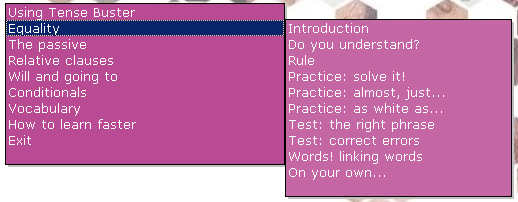
Figure 2: Table of contents for the Intermediate Unit
Unit Introduction
The Introduction section includes examples of the target structure in content-based context, such as a reading passage; often there is audio support. This particular unit uses the context of “urban myths”, and the first passage is about the man who floated up to the sky on a kitchen chair tied to weather balloons (Figure 3).
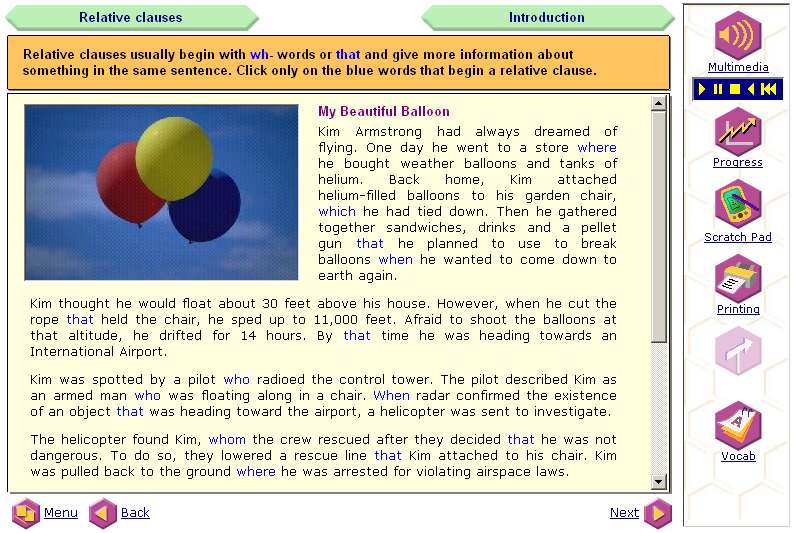
Figure 3: Reading passage, tool and navigation bars
The second part of the introduction presents a series of sentences about the story, which either contain the target structure (relative pronouns), or words from the passage used with different grammatical functions. The students have to click on the sentences that contain the target grammar and are given immediate feedback on their answers (Figures 4 and 5). [-3-]
Do You Understand?
The next section is titled “Do You Understand?” and here the students are asked True/False questions about the target grammar area. In this unit, students are shown sentences where relative clauses are used correctly or wrongly, and have to answer questions such as, “We use whose to replace his, her, their or its.” If they choose the correct answer, the following feedback screen appears:
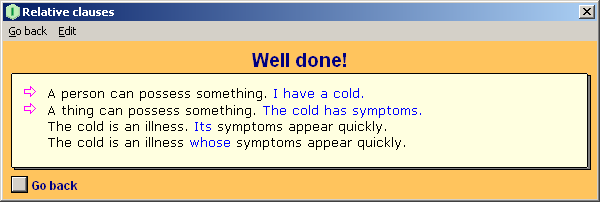
Figure 4: “Do You Understand?” feedback screen
The following is an example of the feedback students get when they select the wrong answer:
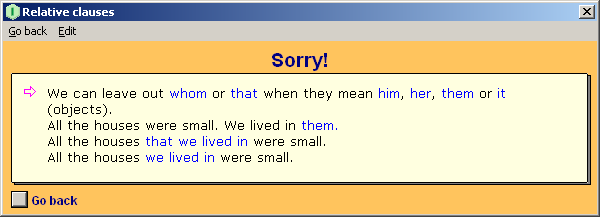
Figure 5: Feedback for a wrong answer
Unit Rules
In this section, rules for using the target grammar are explained. In this unit, the rules explain the difference between defining and non-defining relative clauses, highlight the use of the different pronouns, and point out some common mistakes. Students can highlight the rules, and copy and paste them onto their Scratch Pads. [-4-]
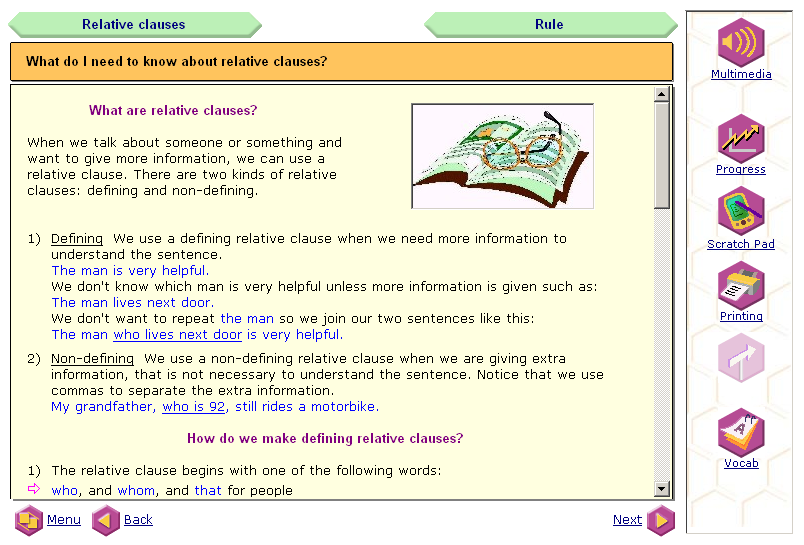
Figure 6: Part of the Rules screen
Unit Practice Exercises
Now students can practice what they have learned. In the first practice exercise of this unit, “the balloon man” urban myth is used for context. The students have to drag and drop the correct pronoun to complete the gaps in a conversation about the balloon man. They can choose to receive ongoing or cumulative feedback by clicking on the corresponding “Marking Options” icon. After they have completed the exercise, they can listen to the dialogue. [-5-]
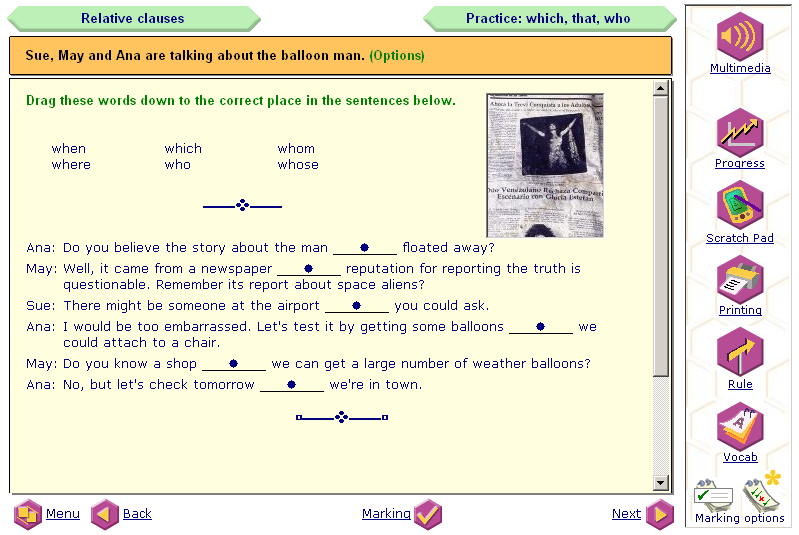
Figure 7: First practice exercise
The second practice continues to use the context of urban myths. The students see two sentences and have to add to a “sentence stem” to join them correctly, choose the correct relative pronoun, and may have to make corrections regarding subject-verb agreement. Again they receive ongoing or cumulative feedback and listen to the correct answers after the exercise has been completed.
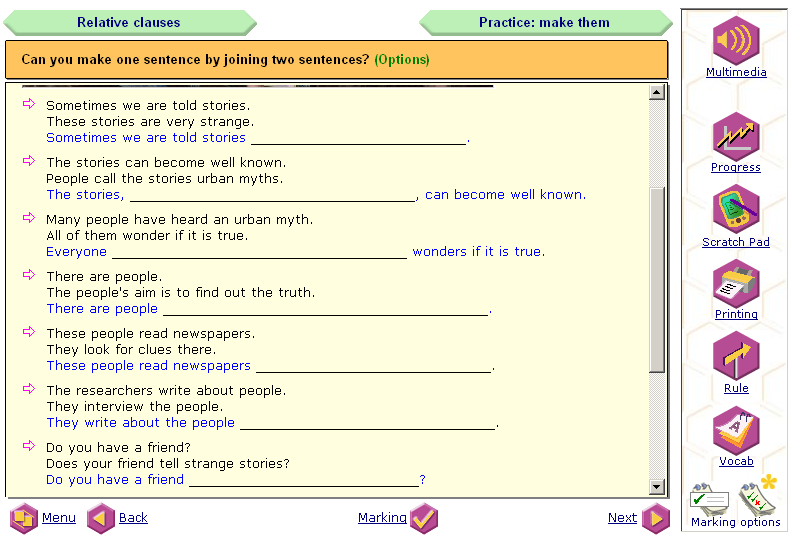
Figure 8: Second practice exercise
[-6-]
The third practice in this unit introduces another urban myth–alligators in the sewers of New York. Here the students have to drag and drop the correct relative clause to complete the sentences. For some unknown reason, there is no feedback and no listening after this exercise. This is the only practice exercise I found which does not provide the students with feedback.
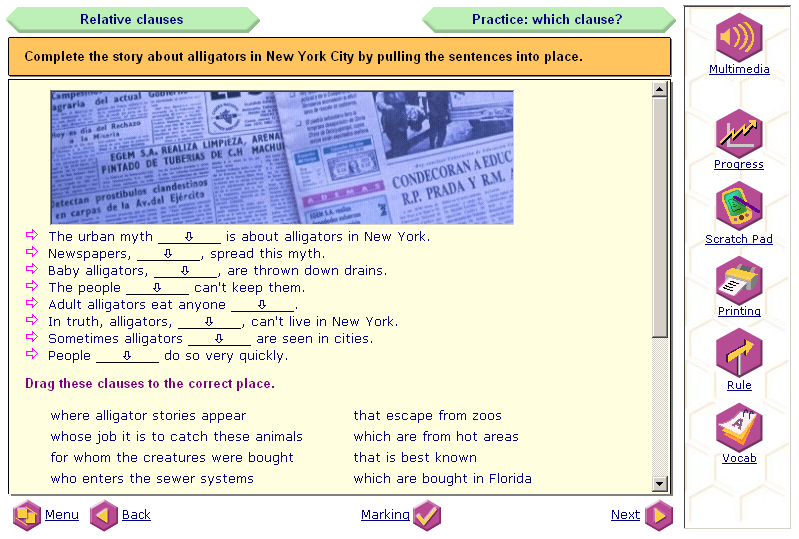
Figure 9: Third practice exercise
While completing the practice exercises, learners always have the option to return to the Rules screen.
Unit: Testing Exercises
For Testing Exercises the context is widened to include other urban myths–the tramp with $1,000,000 in the bank, the dog that walked 900km to get home, etc. This time the students are shown examples of wrongly used relative pronouns and they have to type the correct answers. At the end, they can listen to the correct answers, but the only feedback that is given is an explanation of what the exercise was testing. In the feedback the learners are encouraged to go back and reread the rules, which they could not refer to during the exercise. [-7-]
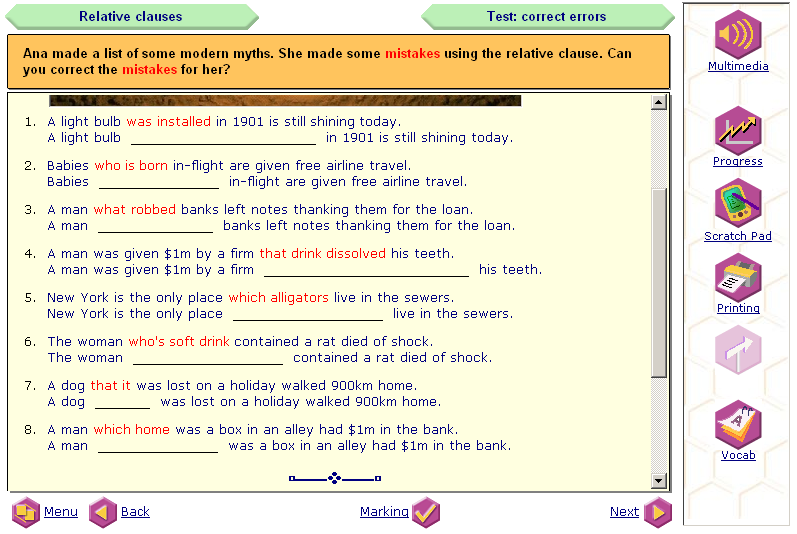
Figure 10: Testing Exercises screen
The second testing activity is multiple-choice and vaguely refers to the “alligator” myth, though the context is a bit forced. Once more, at the end the students can listen to the correct sentences, but again the feedback only identifies what has been tested and recommends rereading the rule if the exercise was not well done.
Unit Vocabulary
The focus on vocabulary in each unit is not really connected to the grammar area under study. In this unit, the vocabulary focus is phrasal verbs that use the particle “out”. The verbs are shown, the meaning highlighted, and then a sample sentence is shown; the sentence can be copied and pasted onto the Scratch Pad.
To practice the vocabulary, learners “drag and drop” the correct verb + particle into gaps. During this exercise, students can click on an icon to go back to the vocabulary explanation page. They can also click “Words like this” to hear the words being examined. [-8-]
On Your Own
The last part of each unit is the part which overtly tackles the idea of fostering student autonomy. In this part the students are simply asked to type on the screen how they plan to learn the grammar point they have just studied. Of course, ideally, they should copy these ideas onto their Scratch Pads, print them, then go off and do it. If they do not have many ideas, they can click on links at the bottom of this screen for some suggestions. There are also ideas related to learning multi-word verbs and some suggestions for sentences to memorize.
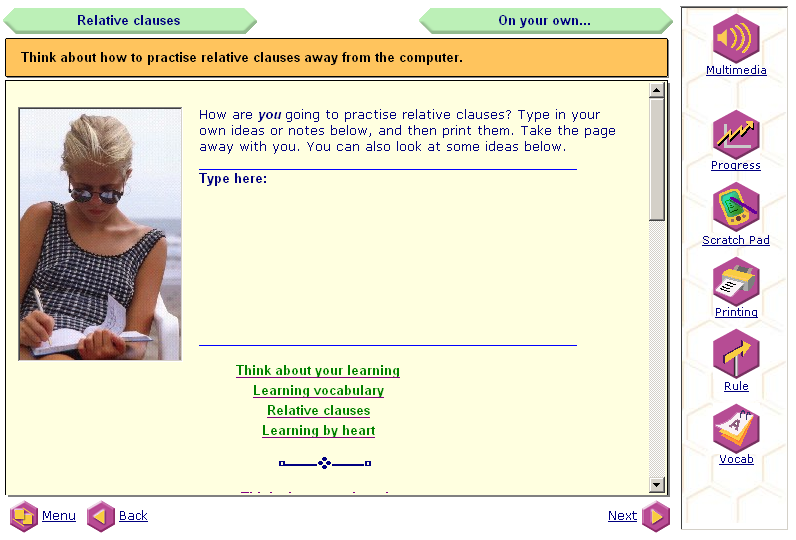
Figure 11: “On Your Own” screen
Features: Scratch Pad
The Scratch Pad feature allows students to make their own notes, copy grammar rules, and keep copies of the vocabulary sections of each unit. The contents of the Scratch Pad can be printed and/or exported to a Word document. The students can also open a file called, “Ideas for learning English” which encourages them to think about why they are learning the language, what their priorities are, how they are going to program their learning, and what they like about the language. This file is normally available through the Scratch Pad, but can easily be copied and pasted into a Word document. [-9-]
Features: Progress Records
Students’ progress is recorded on a text file which the software can call up to show the students how well they are doing. As well as getting scores for individual exercises, the students can see how well they have done that day, or throughout the level. The summary of level shows them when they did an activity, what their score was, and how long they spent on each activity. If students repeat an exercise, no matter how often, they can compare their multiple scores.
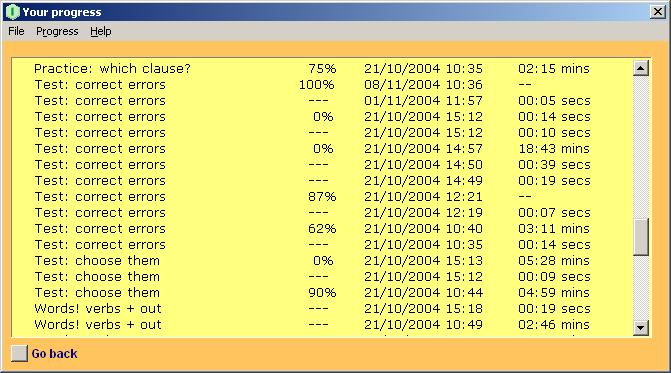
Figure 12: Progress Records
Unfortunately, teachers cannot access the progress records of individual students without using students’ log-in names, nor can they see the entire class progress on one screen.
Features: Printing Options
Students can click the “Printing” icon (Figure 3) to print an exercise, feedback, grammar rule, or any related reading text from a unit.
Features: Authoring Tool
A big advantage for the teacher is the authoring tool. The grammar areas that appear in each level are fairly major ones, but many teachers will want to focus their learners’ attention on other areas–problem vocabulary or word order, for example. With the authoring tool, activities which are relevant to your students’ needs and interests can be tailor-made. There are eight different types of activities to choose from including traditional gap-fill, multiple choice, and free writing activities. It is also relatively easy to include pictures, sound files, and video with the exercises. Once the material has been authored, it appears on the unit menu and you can quite easily edit it and change it. [-10-]
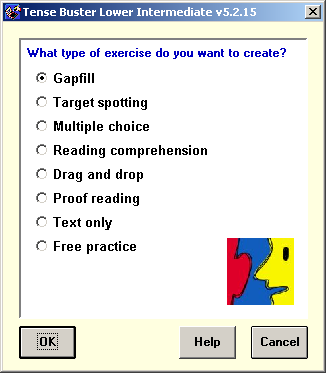
Figure 13: Authoring choices
Another feature of the authoring tool is the ability to customise the activities through the “Settings” screen (Figure14) to suit the purpose of the exercise. For example, instructors can decide whether or not to set a time limit for an exercise, what help is available to the students–the rule, the marking button, and the feedback button, and what kind of feedback the students get.
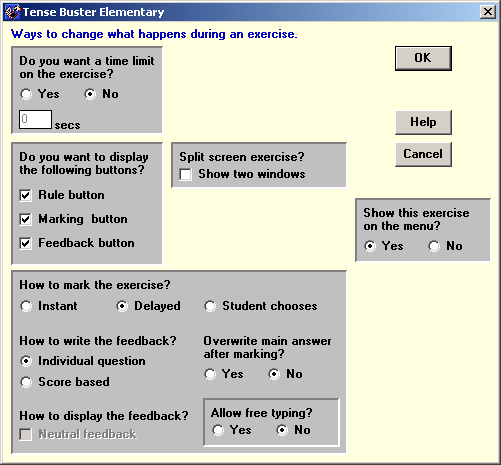
Figure 14: “Settings” screen
[-11-]
Program Evaluation
Strengths
For students who are already fairly autonomous learners, this software could be very useful. They can work at their own pace, measure their progress, make notes, and get ideas of how to practise the language in other contexts. They can get good ideas of how to widen their vocabulary and the listening support should help with listening skills, especially at the higher levels.
For whole class use, the program is also potentially very helpful. If we take the relative clauses unit mentioned here as an example, it is not difficult to see how this material could be integrated into a wider language learning program. Instructors could expand the theme of each unit with readings and listenings done in class before the computer room session, so that the students are more familiar with the contexts that are used. Follow-up project work, such as a straightforward writing activity, could be designed to show how successfully the grammar points have been learned.
The learner training elements of the course are extremely worthy in that they encourage learners to reflect on why they are learning, how they can help themselves, and how much time they can/will spend on the given grammar area. They also offer useful, simple tips for realistic practice ideas. In the intermediate level unit on “will and going to”, for example, the students are encouraged to think about their next holiday, where they are going to go and what they are going to do, etc.
The authoring tool is one of the most useful elements for teachers. There are only five major grammar areas covered at each level, so it is unlikely that all the grammar you aim to cover in a course will be dealt with, but you can always add your own new units, grammar explanations, feedback with cross-referencing to grammar books, websites, and other materials. You can author material and activities of the kind that you know a particular class finds useful, or use subjects you know they find motivating.
Weaknesses
No CD-ROM course is perfect and this one is no exception. My main criticism would be the lack of exploitation of the listening elements of the software. Most of the time, the audio is of someone repeating orally that which appears in written form. While potentially useful, the listenings could be enhanced more directly for listening skills development, or for highlighting areas of connected speech, like weak forms and contractions, etc.
Additionally, some of the vocabulary highlighted is not exactly high-frequency, nor necessarily very useful, and occasionally the definitions are slightly suspect: in one of the elementary units “a robbery” is defined as “stealing from a house”.
These weaknesses in no way take away the very real practical value that the software potentially has, particularly if it is used as part of an integrated language learning program. The publishers are also very keen to get feedback from users so that they can improve the software and implement these improvements in their new online version of the program.
About the Reviewer
Kenny Graham is a teacher, teacher trainer, and CALL advisor for the Bell School, Cambridge, UK, and is a joint Distance Learning Unit Coordinator for the Bell Educational Trust.
Kenny Graham
Cambridge, UK
<kenny.graham bell-centres.com>
http://www.bellenglish.com
|
© Copyright rests with authors. Please cite TESL-EJ appropriately. Editor’s Note: Dashed numbers in square brackets indicate the end of each page for purposes of citation.. |