

December 2001 — Volume 5, Number 3
Pronunciation Power
ECL, Inc.
#208, 5405 – 99th Street
Edmonton, Alberta, Canada
T6E 3N8
Phone: (780) 448-1032
Fax: (780) 448-1895
Email: info@englishlearning.com
Web: www.englishlearning.com
Pronunciation Power 1 (beginner-intermediate)
Includes 8-in-1 English Dictionary
$144.95 + $5.95 shipping and handling (U.S. funds)
(add 7% GST for Canada only)
Pronunciation Power 2 (intermediate-advanced)
$83.95 + $5.95 shipping and handling (U.S. funds)
(add 7% GST for Canada only)
Minimum System Requirements:
ECL, Inc., based in Edmonton, Alberta, Canada, offers a number of products for the ESL/EFL market. Among their most popular products is the Pronunciation Power series, consisting of Pronunciation Power 1 (beginner–intermediate) and Pronunciation Power 2 (intermediate–advanced). This review looks at an early version of Pronunciation Power 2. Future reviews will consider the latest versions of both Pronunciation Power 1 and 2, as well as the 8 in 1 English Dictionary, described as “the first pronunciation dictionary.”
The Program
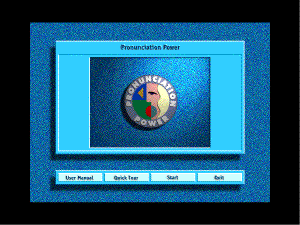
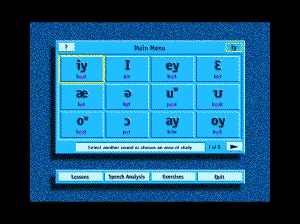
After starting the program from the CD-ROM, the user has a variety of options: User Manual, Quick Tour, Start and Quit. User Manual takes users to a screen instructing them on how to access the manual via Adobe Acrobat (included on the cd-rom for easy download). The Quick Tour is a video presentation of the components of the software package and demonstrates a few of the features offered on Pronunciation Power. Quit takes users to the credits screen and allows them to exit the program from that point. Start takes the user to the Main Menu, consisting of five screens listing the 52 sounds targeted by the program.
Main Menu
After selecting a sound from the Main Menu, the user will hear the sound modeled and be given access to three additional sections: Lessons, Speech Analysis and Exercises. These sections, in addition to the Main Menu, are accessible from most screens within the program. [-1-]
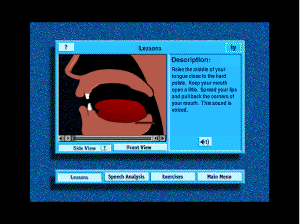
Lessons
In Lessons, both front and side views of the mouth are shown for the given sound. When users push play they see a video clip of the mouth movement and hear a simultaneous pronunciation. In side view, the accompanying passage gives an articulatory description of the sound. In front view, there is a pronunciation tip or suggestion, usually to remind the speaker to distinguish the target sound from a similar sound, as in the tense/lax distinction between /iy/ and /I/. The features of this section include: side view, front view, audio accompaniment for each, as well as an oral presentation of the description and suggestion (accessed by clicking on the speaker icon in the lower right section of the screen). In addition, guidance for using the section is provided when the user clicks on the “?” button in the top left corner of the screen (a feature repeated on every screen in the program). In front and side view, the movements can be set in slow motion by using the arrows to the right of the bar under the visual.
Speech Analysis
In Speech Analysis, the user has the opportunity to hear the sound modeled and see a waveform representing the instructor’s own pronunciation. Users can then record their own voice, stop the recording, drag their waveform under the instructor’s and click on “play” to both see and hear their own production. While this feature has a great deal of potential, providing both visual and auditory feedback on the user’s pronunciation, there was a glitch that made this component somewhat unpredictable. Although there seemed to be no problem with the first attempt at recording, any additional attempt resulted in an error message: Sound Error Æ322. A couple of solutions presented themselves: first, if users click and hold the record button for a second before releasing it, the error message won’t appear. Also, it is important to be aware that only one production should be made at each click of “record.” In other words, if the user clicks on “Rec” and tries to produce a given sound twice, the program may not function properly. If the user simply produces the sound and then waits for a second, the program will stop automatically and the “play” option will appear. Finally, if the record/stop/play sequence alters and errors occur, the user can leave the section and return. This seems to reset the system and allow the user to continue practicing. [-2-]
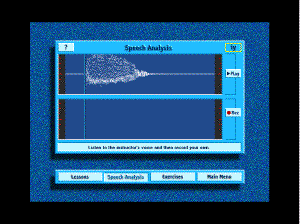
Figure 4
Exercises
In Exercises, there are four options: Sample Words, Comparative Words, Sentences and Listening Discrimination. The first three exercises focus on production skills, from using sounds in discrete words to contrasting sounds in minimal pairs and, finally, to practicing production of the sounds within words in sentences. The fourth exercise, Listening Comprehension, allows users to review their comprehension of the target sound.

Sample Words
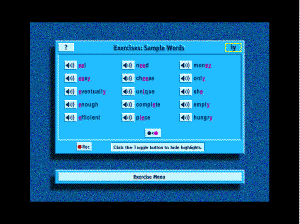
A particularly nice feature of Sample Words is that the examples include a variety of spellings of each sound, reminding users of the lack of fit between sounds and letters in English. Another benefit in this section is that the user has the opportunity to record their own pronunciation of the words, assisting them in moving from the sound in isolation to the sound in context. Finally, the user has the option to click on a toggle button to highlight the targeted sound within each sample word (as shown in the screen shot below). One drawback is that not all problematic environments are represented. While limitations of space and practical issues are acknowledged, there are specific environments that prove problematic for a majority of speakers working on pronunciation in English. For example, in the case of /iy/, the environment preceding the syllabic nasal is often difficult for a majority of L2 speakers. Also, unless the user is careful in the clicking of the record/play/stop buttons, the program can become unstable, leading to the “Sound Error: -322” message. [-3-]
Comparative Words
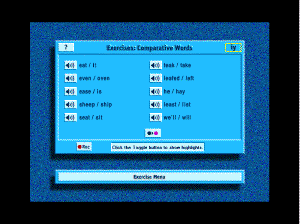
In this section, the user sees a variety of minimal pairs containing words with the target sound and similar sounds. The use of minimal pairs encourages the user to fine-tune their pronunciation by focusing on the targeted sound and distinguishing it from similar sounds. The only drawback here, similar to that observed in the Sample Words section, is that specific problem environments are not always addressed in the examples chosen to include. In addition, depending on the targeted sound, the minimal pairs chosen do not always seem to reflect those most easily confused by the majority of L2 speakers. For example, in Comparative Words for /ey/, four of the ten pairs focused on the /ey/ vs. /ow/ distinction while only two pairs targeted the /ey/ vs. /e/ distinction. In general, however, this section is quite useful for both comprehension and production practice.
Listening Discrimination
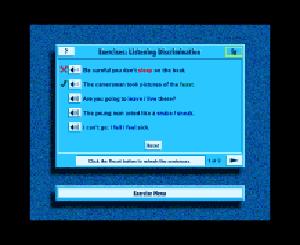
In this section, minimal pairs occur in sentences. The user clicks on the speaker icon to hear the sentence. They then click on the word they heard. A check indicates a correct answer. An “x” indicates an incorrect answer. A nice feature of this activity is the option to reset the sentences and clear out answers. One drawback is that, apparently, only one answer is given for each sentence. In other words, regardless of how many times the user resets the screen and clears out answers, when they click on the item again, they will be hearing the same word as before. The words themselves alternate locations in the minimal pair presentation itself, which encourages the user to focus on the spelling/sound correspondence. However, random alternation of answers for each item as well would improve the usefulness of this section, as a user would never know which word was being used and could replay the exercise several times in order to get a good feel for the differences in pronunciation between the words in the minimal pairs. [-4-]
Sentences
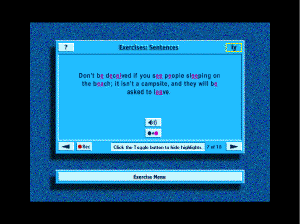
In this section, the user has a chance to listen to and repeat sentences containing several words with the target sound. The contextualization of the sound within words in sentences provides the user with the opportunity to practice not only the targeted sound but also the ways in which that sound may interact with other sounds in the language. There are 10 sentences for each targeted sound and they increase in complexity of structure and length as the user works through the series.
Overall, this software package has a lot to offer the advanced speaker of English in terms of fine-tuning pronunciation. Although described as appropriate for intermediate–advanced users, as the software now stands, a relatively advanced grasp of the language is essential in order for the user to benefit thoroughly from the information and tips in the User’s Manual. If, however, the user had already worked through Pronunciation Power 1, they could probably make the transition to Pronunciation Power 2 as familiarity with the program might alleviate linguistic challenges.
System Support
In reviewing the package, I did run into a few technical problems and received prompt, helpful replies to my questions (less than 24 hours) from ECL’s tech support team. It is absolutely essential that the user read the User’s Manual thoroughly and match the system requirements listed. I tried using both PP16 and PP32, to see what types of glitches might occur if users download a version not designed for their system. If they download the wrong version, a number of significant problems arise, including lack of access to Quick Tour and complications with Speech Analysis.
In the next review, we will look at changes made in the new version of PP2 and at the additional features PP1 (including the 8 in 1 Dictionary) has to offer.
Andrea Word-Allbritton
University of Alabama in Huntsville, USA
<language_training@hotmail.com>
|
© Copyright rests with authors. Please cite TESL-EJ appropriately.
Editor’s Note: Dashed numbers in square brackets indicate the end of each page for purposes of citation. |
[-5-]