

Vol. 8. No. 1 — June 2004
BrainCogs: Learning Strategy Software
| Title | BrainCogs: Learning Strategy Software | 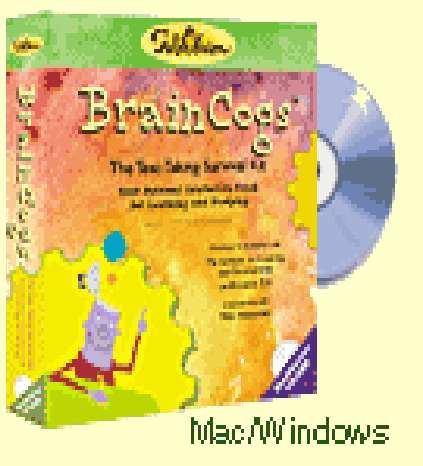 |
|
| Author | The Institute for Learning and Development and Research ILD |
||
| Contact Information | FableVision, Inc. 44 Pleasant Street Watertown, MA 02472, USA. Phone: (888) 240-3734, (617) 926-1231 FAX: (617) 926-1334 Email: Info@FableVision.com FableVision, Inc.: www.fablevision.com BrainCogs web site: www.braincogs.com |
||
| Product Type | Learning Strategy Software | ||
| Minimum System Requirements | Machine Platform | PC | Mac |
| Operating System | Windows 98, 2000, ME | MacOS 8.6 | |
| Chip | Pentium II 300Mhz 233Mhz G3 chip | iMac, G3 desktop, G3 Powerbook | |
| RAM | 64 MB RAM | 64 MB RAM | |
| Hard Drive | 60 MB free space | 60 MB free space | |
| Display | High Color at 800×600 | Thousands of Colors at 800×600 | |
| Audio | 16-Bit Sound Blaster-compatible sound card | Standard audio | |
| Price | 149.95 USD | ||
Introduction
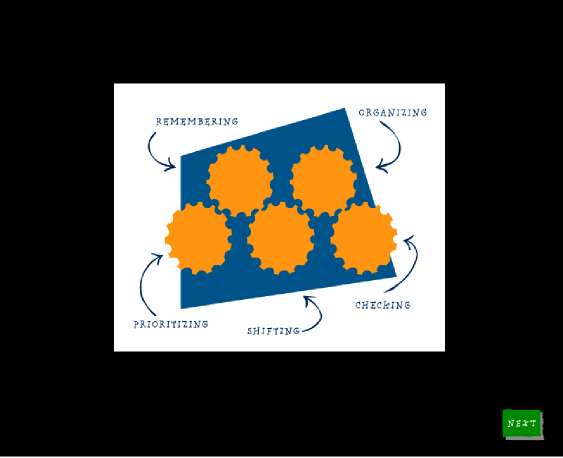
BrainCogs is a program designed for 4th–8th grade students to aid with successful learning, studying, and test taking. The CD-ROM focuses on five cognitive processes named “brain cogs”: remembering, organizing, prioritizing, shifting, and checking. There are a total of 13 strategies utilized in the program, and each “cog” includes two or three learning strategies. According to the teacher’s guide in the program packet, this software is a research-based program focusing on the cognitive skill development of students. The strategies provided in the program help students improve academic performance and also acquire life-long learning skills.
Researchers have found that many learning strategies are applicable for language learning (Lessard-Clouston, 1997). If it is used effectively, BrainCogs can show ESL/EFL learners ways to apply various learning strategies to their English language learning, as well as to content-area learning.
The Program
Getting Started
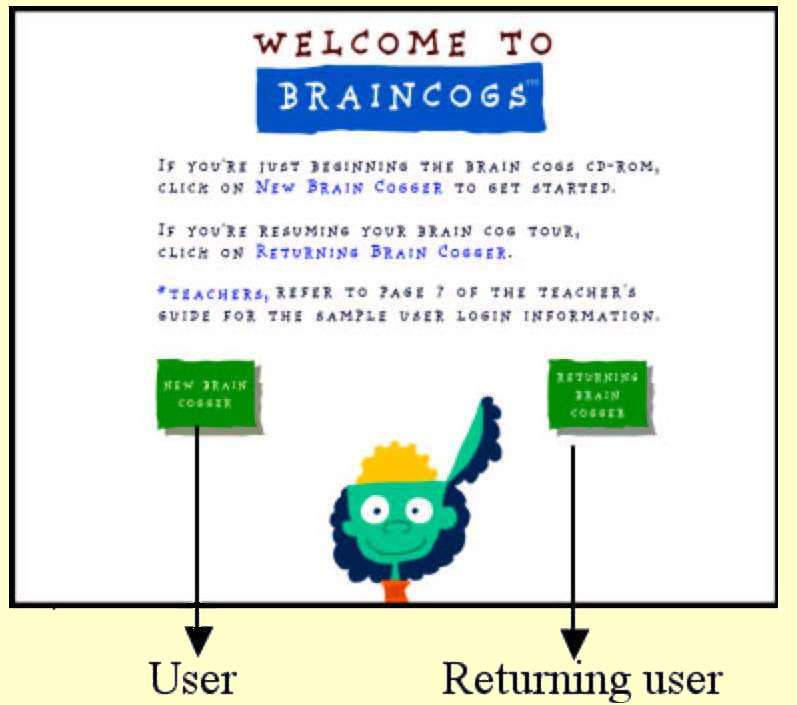
To install the program, users need to place the CD-ROM into the CD drive of a computer and locate the “BrainCogs installer” on the disk. If users click the “BrainCogs installer” icon, the CD-ROM will automatically install files on the computer. After installation, a BrainCogs icon will be created on the desktop of the computer. If users click the icon, the program will open a log-in screen [Figure 1]. If students are new users, they will need to create their own account with a screen name, a password, and full name for log-in. If students are returning users, they will need to click their name in the “full name” box and type their screen name and password in the appropriate boxes. [Figure 2].
| [Figure 1] First Log-In Screen | [Figure 2] Returning User Log-In |
 |
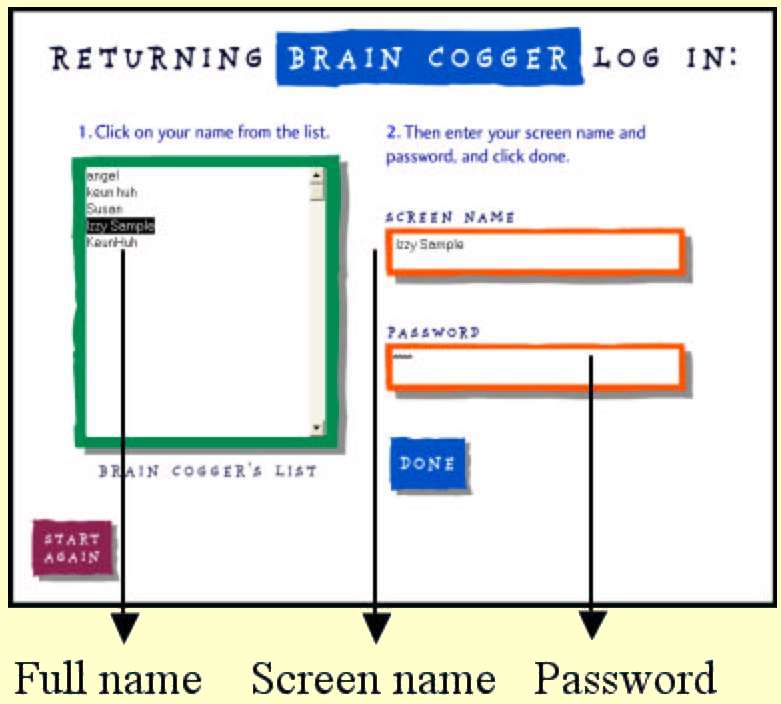 |
The CD-ROM provides a “sample user” account that allows users to go through every screen in the program, rather than go in the specific order presented on the CD. This allows teachers, as an “administrator”, to take a look at any section. Teachers can log in as a “sample user” by simply clicking on “Returning Brain Cogger” and then using the provided information full name (Izzy Sample), screen name (Izzy Sample), and password (Cogs).
The Cogs
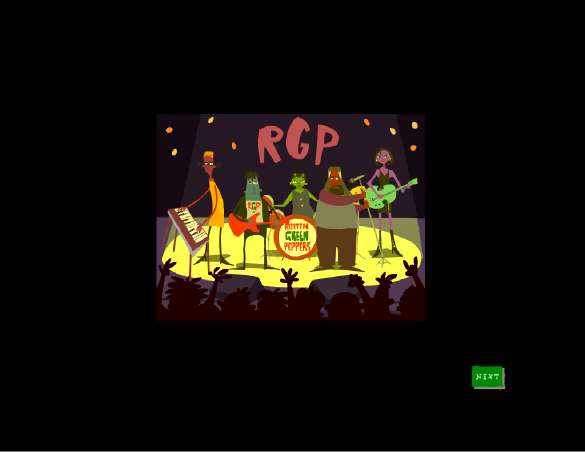
Once logged-in, the user will see a short movie that explains the need for utilizing BrainCogs’ “learning strategies”, and how to learn the strategies. A narrator introduces five BrainCogs [Figure 3] with colorful images and effective sounds which motivate users to learn. Five members of the “Rotten Green Peppers” (RGP) [Figure 4] are introduced. They are the “tour guides” through the program. Each of them represents a student who has a problem such as: disorganizing, forgetting to check details, and failing to prioritize. Each “band member” guides users through the strategies in a cog. The band members learn BrainCog skills alongside the students by exploring the program as their companions.
| [Figure 3] Five Cogs | [Figure 4] Rotten Green Peppers |
 |
 |
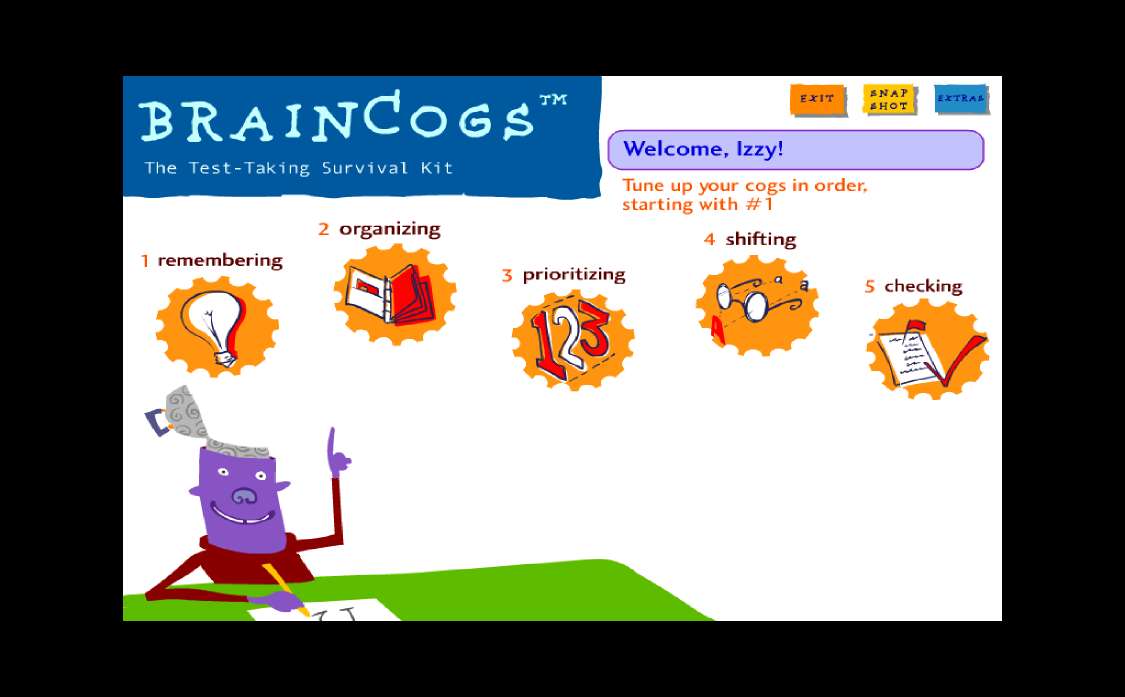
After watching the introductory RPG movie, the user will see the main menu that includes the five Cogs and a selection menu which allows the user to exit, take a “snapshot”, and/or view program extras [Figure 5].
[Figure 5] Main Menu
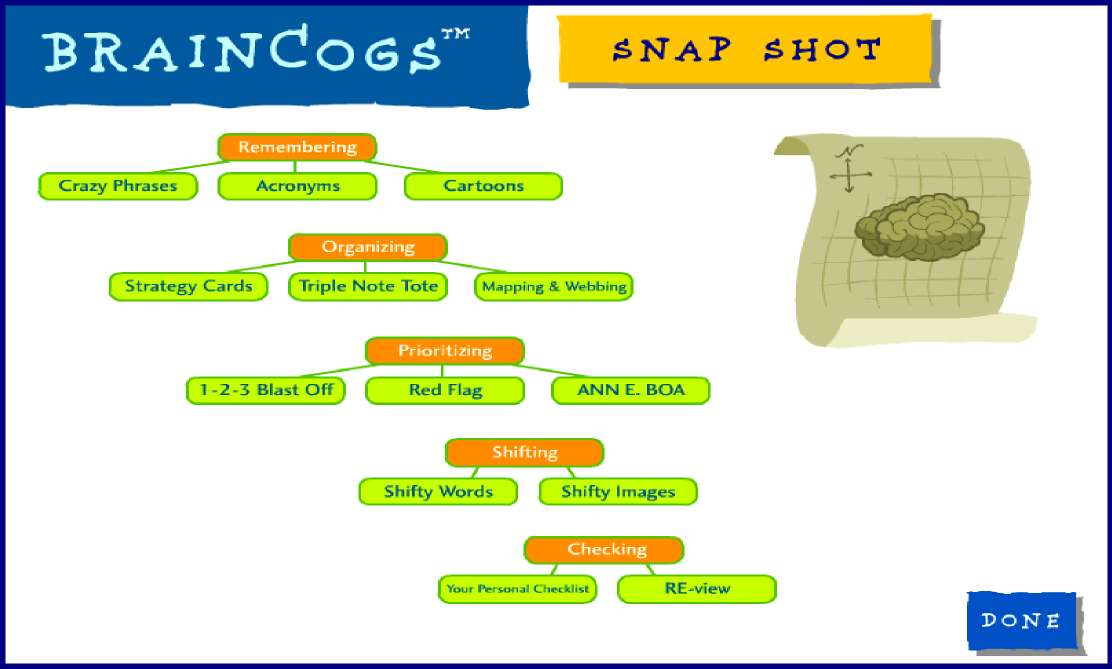
Clicking “snapshot” selection on the main menu allows the user to see a site map of the program. Here one can view BrainCogs” <=”” i=””> 13 strategies (grouped according to cognitive processes): remembering, organizing, prioritizing, shifting, and checking [Figure 6].
[Figure 6] A Snapshot of the Program
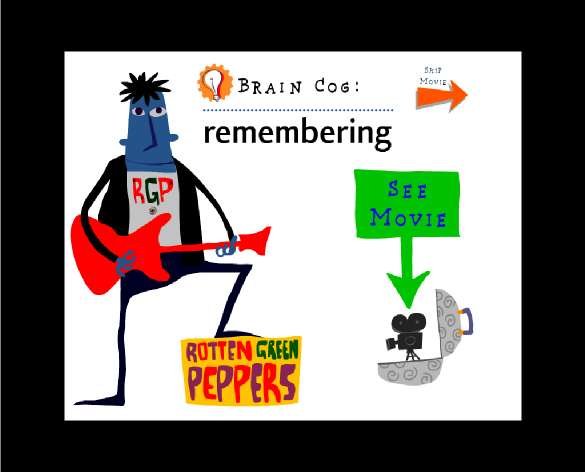
Each cog also begins with an animated movie [Figure 7] and a menu of strategies [Figure 8]. The menu screen allows student access in any order. But students should try all the strategies in their proposed order, because the program is constructed for this type of build-on based learning.
| [Figure 7] A remembering Cog | [Figure 8] Remembering Strategies |
 |
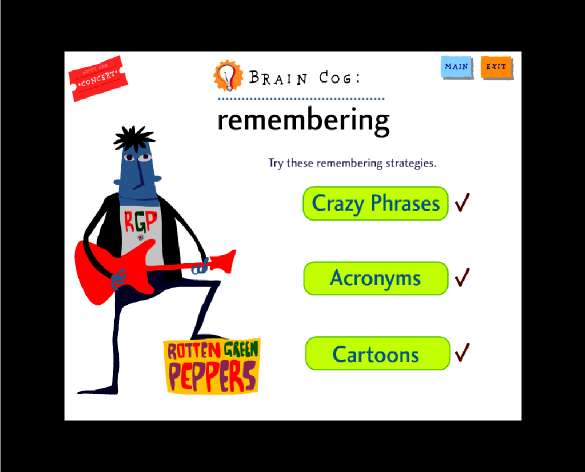 |
A narrator explains each strategy: what the strategy is, when the strategy is most helpful, and how to use the strategy. Then, example activities for each strategy are provided for students. As an example activity, students will be asked to read articles from newspapers, letters, emails, or journals, and then to answer questions based on the stories.
Reinforcement Activities
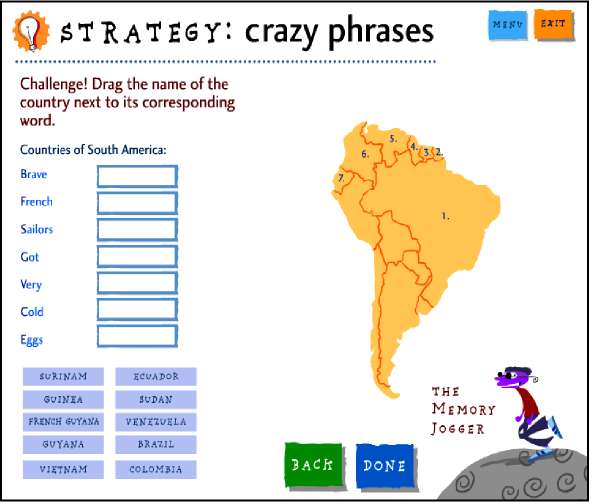
After students have practiced each strategy with the cog’s activities, they will be asked to practice the strategy with questions that are relevant to academic content such as: geography, science, history, and vocabulary. The questions are presented in several formats: drag and drop, fill-in-the-blank, multiple choice, and true/false [e.g. Figure 9].
| [Figure 9] Geography (Drag & Drop) | [Figure 10] Memory Jogger Help |
 |
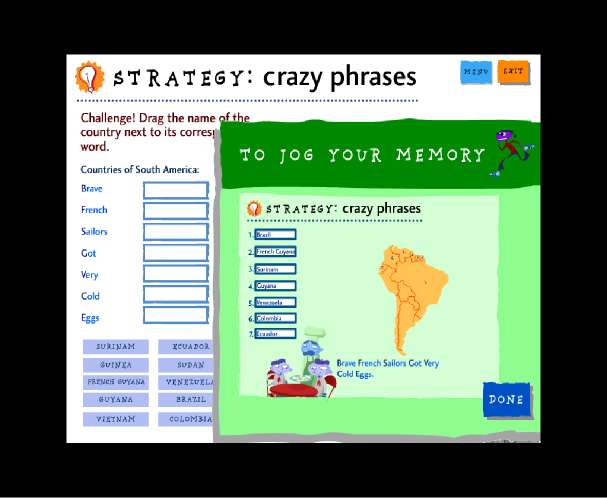 |
If students click “The Memory Jogger” [Figure 9] to get help during the question activity, the program will provide tips on how to apply strategies to solve the questions [Figure 10]. Students will also be provided with verbal feedback for each activity. For example, students may be asked questions such as (via voice/sound card), “How did you do?” or “Did you get them all?” after responding to a query. At all times, students have the option to go back to the previous page or return to the main menu.
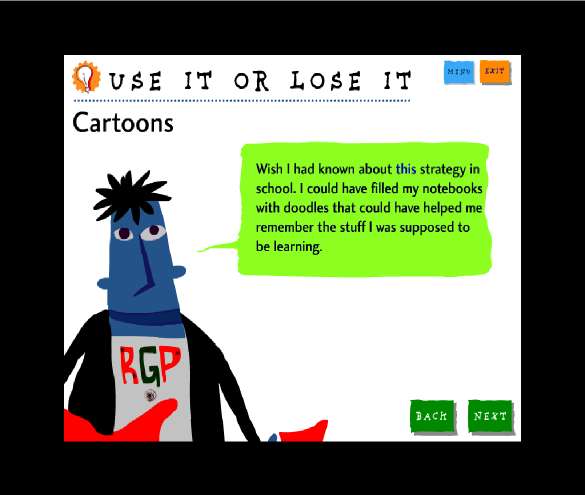
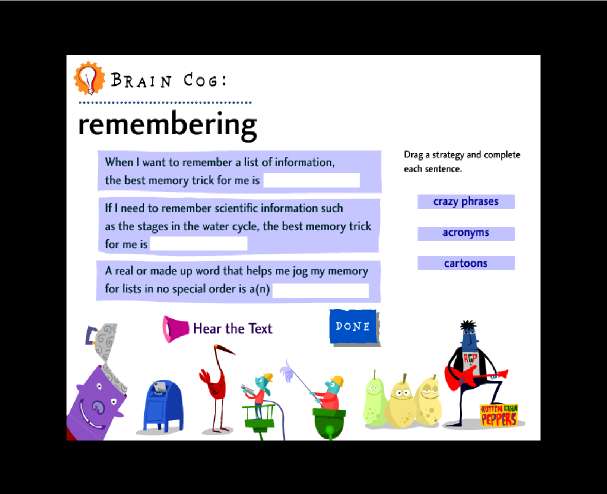
Each strategy ends with a review screen called “Use It or Lose It” [Figure 11]. In this screen, a band member reflects on his use of strategy and provides his intention of how to use each strategy in school. As the final step of every cog, summary questions [Figure 12] are provided. The questions are intended to find out the preference and the level of comprehension of the students. After completing the questions, the RGP band will play a song that is related to the strategies of a particular section. Once students complete a section of cogs, they can listen to the song by clicking an “on-screen concert ticket” at the top of left side of the strategy menu (see Figure 8).
| [Figure 11] Use It or Lose It | [Figure 12] Summary Questions |
 |
 |
Getting Scored
Students will get a personalized certificate [Figure 13] when they complete the program. The certificate displays the information about the strategy use of each student: performance and preference.
[Figure 13] Certificate

The performance scoring (“Star” symbol) is based on the activities related to school subjects, and the preference scoring (“Heart” symbol) is based on the final summary questions at the end of each cog. Both performance and preference scoring is based on the answers a students enters the first time through the program. With the information from the certificate, students can recognize which strategies work best for them and find ways to effectively use the strategies for certain tasks.
Administration Tools
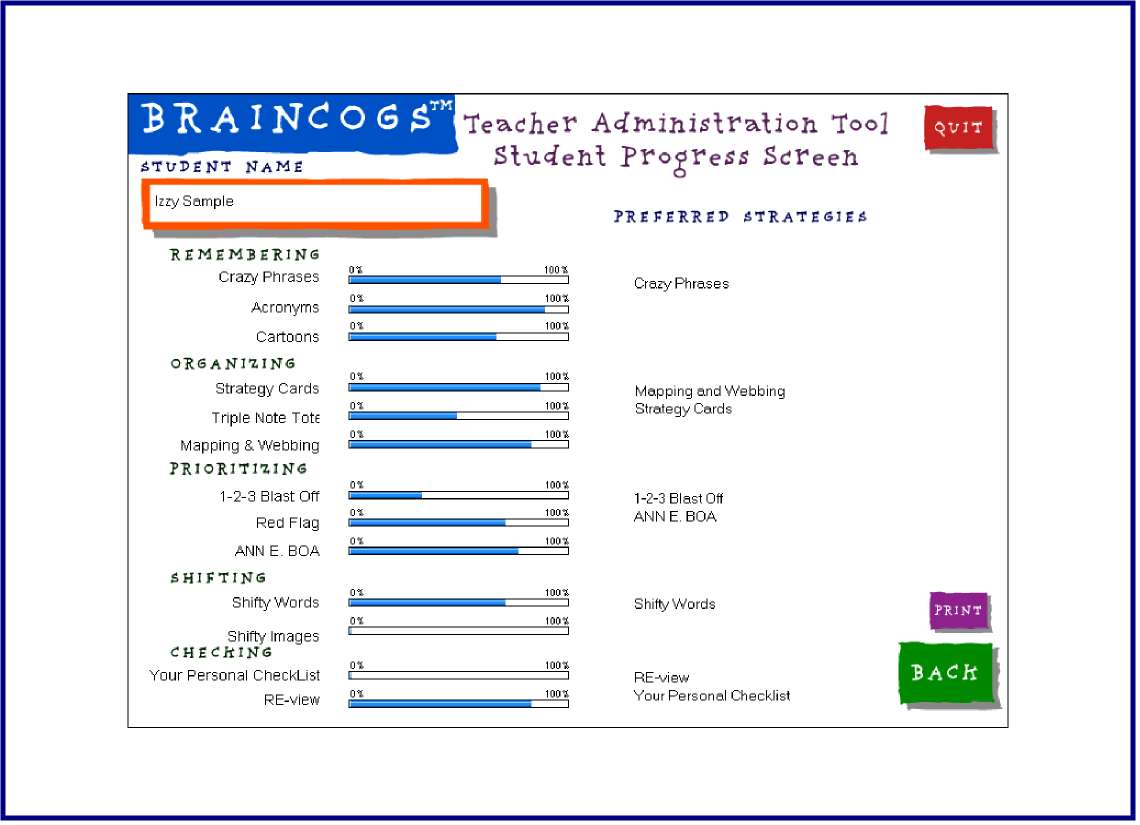
The BrainCogs CD-ROM has “Administration Tools” which can also be installed on the computer during the initial installation. The “Administration Tools” are in the “Administration folder” on the CD. Teachers are provided with information about each student’s progress and performance results. The “personalized snapshot” [Figure 14] allows teachers to check the performance of any student who has logged into that same computer. This information can help teachers analyze their students’ strengths, weakness, and learning styles. By maximizing the information, teachers can better understand and assist their students’ learning strategies.
[Figure 14] Student Progress
Extras
When students click “Extras” on the main menu (see figure 5), they will see two test-taking strategies: self-advocacy and managing stress. Each strategy is explained by a short movie. The movie provides more practical tips that students can use before, during, and after taking tests for example, how to prepare before a test, how to handle difficult questions during the test, and what to do after the test.
Program Evaluation
Learning strategies are defined as learners’ actions and thoughts that occur during learning (Weinstein & Mayer, 1986). Research has shown that successful language learners often use strategies in an orchestrated fashion (Oxford, 1990). In this review, I analyzed BrainCogs in terms of second language learning strategy training research (Kinoshita, 2003; Oxford, 1990; Rubin and Thompson, 1994).
The strengths
The various advantages of BrainCogs can be summarized as follows: first of all, the program contains various learning strategies such as remembering, organizing, and checking that have been found effective strategies for all subject area learning (Park, 1995). Each strategy is introduced in explicit ways at the beginning of each cog to help students clearly understand what the strategy is and why they need to learn it, when they could use it, and how they can use it. Furthermore, this clarification encourages students to take more active roles in the learning process. Next, immediate application of each strategy is one of the advantages of this program. BrainCogs includes various activities that allow students to practice each strategy. It also includes example activities focusing on how strategies can be used for solving daily life problems in addition to school tasks. For instance, Inez, one of the RGP members, did not check her schedule, but she was able to successfully prepare for a big concert by using the “personal checklist” strategy. In terms of learner anxiety and motivation, BrainCogs seems to successfully reduce anxiety and increase student motivation by providing colorful animation and interactive structures (e.g. prompt voice feedback).
For teachers, the program can be utilized as a systematic teaching tool that is beneficial for developing their students’ learning strategies. Also, the program helps teachers to gather individual student performance information and to effectively monitor progress with the administrative tools. With this information, teachers can also reinforce the motivation of their students to practice and acquire learning strategies that fit best with their individual preference. Furthermore, teachers can encourage students to share their ideas about strategy use in discussions with others.
The weaknesses
Even though BrainCogs has many advantages, there are a few weaknesses as well. First, it would be better if the program would provide activities that allowed students to “type” answers rather than simply choose ready-made answers. In this way, students would be more active learners by having an opportunity to think more divergently. In addition, most of the tasks in the program only allow for single strategy use. Thus, it would be great if the program would include activities that encouraged the practice of “multiple strategies use” for each task. In reality, strategies are often used together, and also support each other (O’Malley & Chamot, 1990). Therefore, well-intended activities that allow students to use combinations of strategies would have more positive and significant effects on their learning.
Conclusion
It has been continuously found that learning strategies are ‘teachable’, and teaching learning strategies can have positive effects on task performance and the language learning process. Thus, various learning strategies have been used for all content areas and language learning both in classroom settings and more informal learning environments (Lessard-Clouston, 1997). In light of this fact, BrainCogs seems to provide essential tools for enhancing students’ learning. especially for ESL/EFL students who can take advantage of BrainCogs for their English language learning. Research has repeatedly shown that the conscious, tailored use of learning strategies can increase the language achievement and proficiency of ESL/EFL students, because certain strategies or clusters of strategies are closely linked to particular language skills or tasks. In summary, successful language learners tend to select appropriate strategies (O’Malley & Chamot, 1990). BrainCogs provides various and simple strategies that are easy to learn and transferable to language tasks beyond content area tasks. Furthermore, the program facilitates an individualized learning program that is well-designed to satisfy individual needs and preferences.
However, it should be noted that students will effectively acquire all the strategies in BrainCogs only when teachers use them correctly. Therefore, teachers should find the best way to utilize this program with their students in their own context.
References
Kinoshita, C. Y. (2003). Integrating language learning strategy instruction into ESL/EFL lessons. The Internet TESL Journal, 4 (4). Retrieved April 2003, from http://iteslj.org/Techniques/Kinoshita-Strategy.html
Lessard-Clouston, M. (1997). Language learning strategies: An overview for L2 teachers. The Internet TESL Journal, 3 (12). Retrieved December 1997, from http://iteslj.org/Articles/Lessard-Clouston-Strategy.html
O’Malley, J. M., & Chamot, A. (1990). Learning strategies in second language acquisition. Cambridge: Cambridge University Press.
Oxford, R. (1990). Language learning strategies: What every teacher should know. New York, Newbury: Harper Collins.
Park, S. (1995). Implications of learning strategy research for designing computer-assisted instruction. Journal of Research on Computing in Education, 27 (4), 435-456.
Rubin, J. & Thomson, I. (1994). How to be a more successful language learner. MA: Heinle & Heinle.
Weinstein, C. F. & Mayer, R.F. (1986). The teaching of learning strategies, In American Education Research Association, Handbook of research on teaching (pp. 315-327), New York, NY: Macmillan Publishing Company.
About the Reviewer
Keun Huh is a doctoral student at Washington State University whose research interests are CALL and ESL. She has developed online teacher training courses for English Language Learners (ELLs) under a Training of All Teachers (ToAT) Grant, and taught elementary school in South Korea.
Keun Huh
Washington State University
Pullman, Washington, USA
<Keunh@mail.wsu.edu>
| © Copyright rests with authors. Please cite TESL-EJ appropriately.
Editor’s Note: Dashed numbers in square brackets indicate the end of each page for purposes of citation.. |